
Component Diagram
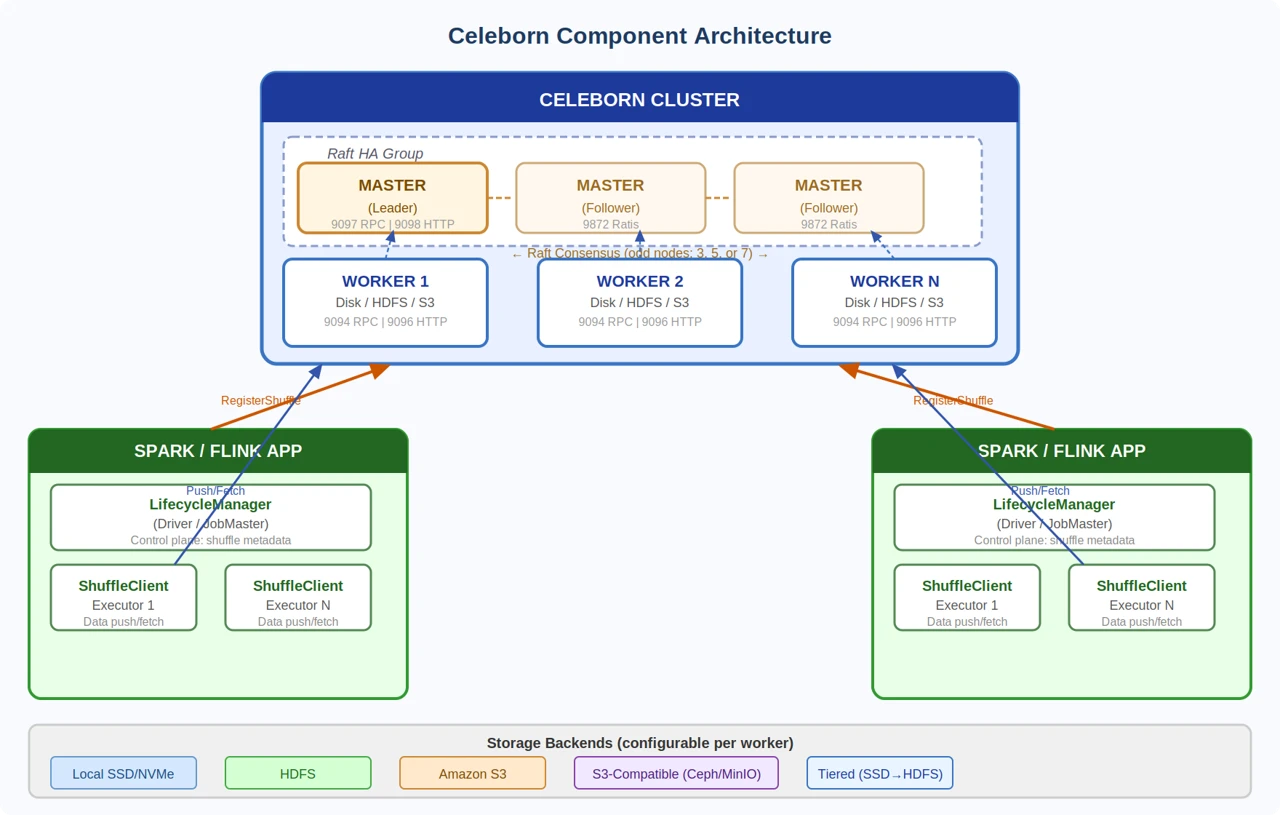
Celeborn consists of three primary components: Masters (cluster coordinator), Workers (shuffle data storage), and Clients (embedded in compute engines).
Component Details
Master
Role: Cluster coordinator and metadata manager
Manages worker registration and health monitoring
Allocates shuffle slots to applications
Coordinates shuffle lifecycle and resource cleanup
Achieves HA via Raft consensus — 3, 5, or 7 nodes recommended
Port | Protocol | Purpose |
|---|---|---|
9097 | TCP | Master RPC — Client and Worker communication |
9098 | TCP | Master HTTP — Web UI and REST API |
9872 | TCP | Ratis — Master-to-Master Raft consensus |
Worker
Role: Shuffle data storage and serving
Receives and buffers shuffle data from mapper executors
Replicates data to peer workers for fault tolerance
Serves shuffle data chunks to reducer executors
Supports local disk, HDFS, S3, and tiered storage backends
Port | Protocol | Purpose |
|---|---|---|
9094 | TCP | Worker RPC — Client to Worker communication |
9096 | TCP | Worker HTTP — Worker Web UI and metrics |
Client
The client is embedded in compute engines and consists of two sub-components.
Component | Location | Responsibility |
|---|---|---|
LifecycleManager | Driver / JobMaste | Control plane — manages shuffle metadata and slot allocation |
ShuffleClient | Executor / TaskManager | Data plane — pushes and fetches shu |
Shuffle Lifecycle
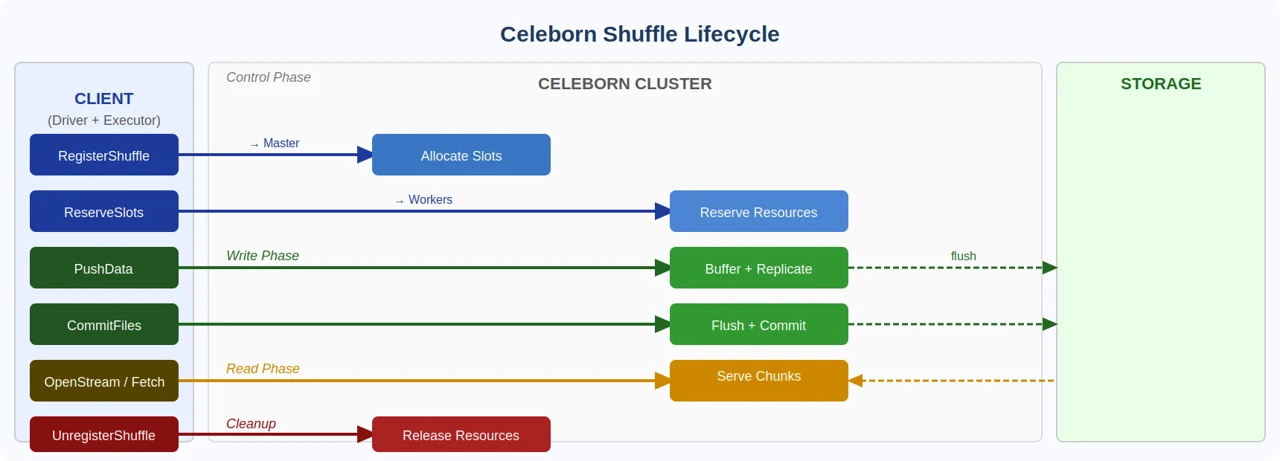
Every shuffle operation follows a structured seven-step lifecycle managed between the Client, Master, and Workers:
Step | Direction | Description |
|---|---|---|
| Client → Master | Request slot allocation for the shuffle |
| Client → Workers | Reserve resources on selected workers |
| Executors → Workers | Mapper executors stream shuffle data to workers |
| Client → Workers | Flush buffers, finalize and commit partitions |
| Client → Workers | Prepare workers to serve data for reducers |
| Executors → Workers | Reducer executors fetch data chunks by partition |
| Client → Master | Release all resources after job completion |