
This page outlines the steps to perform an in-place upgrade of a Kafka cluster from Kafka 3.x to Kafka 4.x, using the same data directories.
Prerequisites
The existing Kafka 3.x cluster is running and stable.
The current data log directory (used by Kafka 3) is available and will be reused by Kafka 4.
Ambari is up and running.
The upgrade will be performed in KRaft mode (not ZooKeeper mode).
Validate the existing Kafka 3 setup
Before you start the upgrade, verify that the Kafka 3 cluster is fully functional.
List topics
Create a sample topic
Produce sample data
Consume the data
Verification: Messages are produced and consumed successfully, confirming the Kafka 3 setup is healthy.
Note
You must provide a client configuration file for Kerberos or SSL authentication. The file typically takes one of the following forms.
Kerberos enabled (
client-kerb.prop):security.protocol=SASL_PLAINTEXTSSL enabled (
client-ssl.prop):security.protocol = SSL ssl.truststore.location = /opt/security/pki/truststore.jks ssl.truststore.password = WelcomeBoth Kerberos and SSL enabled (
client-kerb-ssl.prop):security.protocol = SASL_SSL ssl.truststore.location = /opt/security/pki/truststore.jks ssl.truststore.password = WelcomeBefore you perform any Kafka operation, export the required
KAFKA_OPTS:export KAFKA_OPTS="-Djava.security.auth.login.config=/usr/odp/current/kafka4-broker/config/kafka3_jaas.conf -Djava.security.krb5.conf=/etc/krb5.conf"Run the command as the
kafkauser. If Ranger is enabled, alternatively grant the required permissions to the user from the Ranger UI before you perform the operation.
Update broker protocol compatibility
Before you install Kafka 4, update the following property under Ambari > Kafka3 > Configs > Custom kraft-broker and Custom kraft-controller. This property should point to the current kafka3.odp.version.
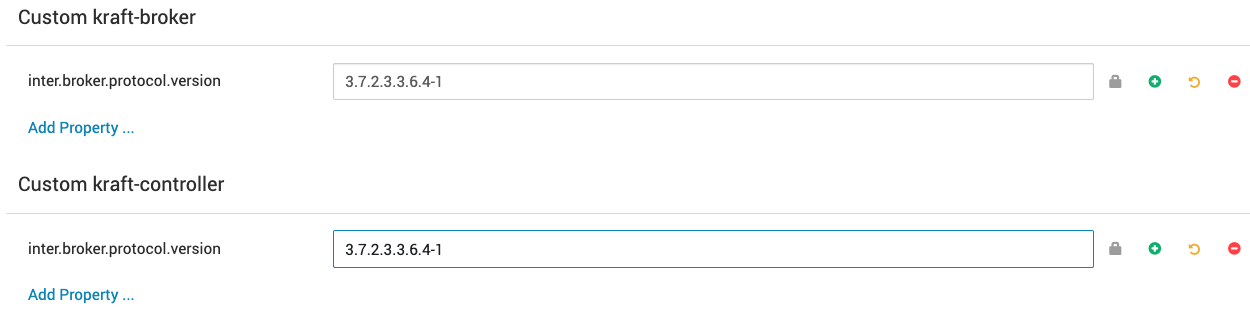
Restart all Kafka3 brokers from Ambari to apply the configuration. This ensures smooth compatibility during the upgrade.
Install the Kafka 4 management pack (MPack)
Run the following commands on all nodes on which Kafka 3 is installed:
Then restart the Ambari server:
Upgrade to Kafka 4
Step 1: Stop the Kafka 3 brokers
Stop all Kafka 3 brokers through Ambari.
Step 2: Install Kafka 4
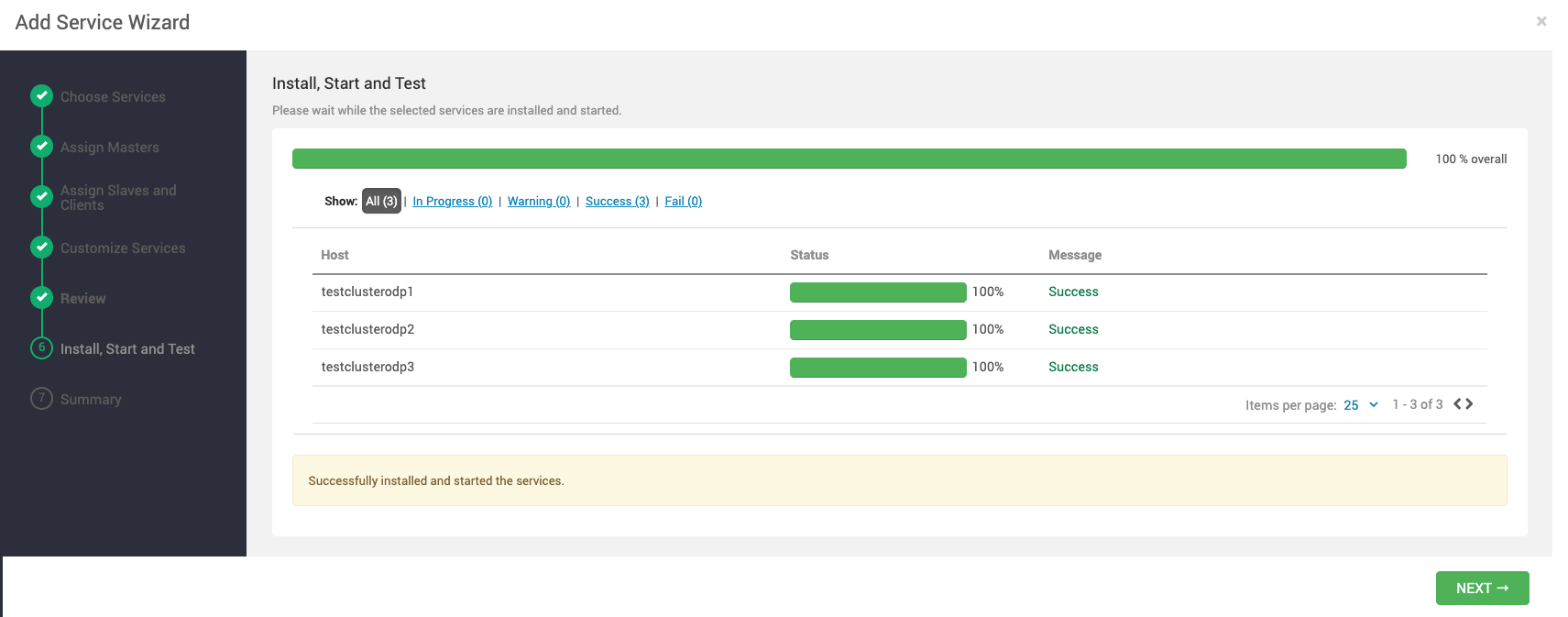
From Ambari, add the Kafka 3 service and perform the following configurations before you start the brokers.
Mandatory:
Perform the upgrade in KRaft mode only, since Kafka 4 doesn't support ZooKeeper.
Ensure Kafka 4 uses the same data log directory as Kafka 3.
Step 3: Update the configuration in Ambari
Under Advanced Kraft4-broker and Advanced Kraft4-controller, configure the following properties to match what was configured for Kafka3 when it was running in KRaft mode.
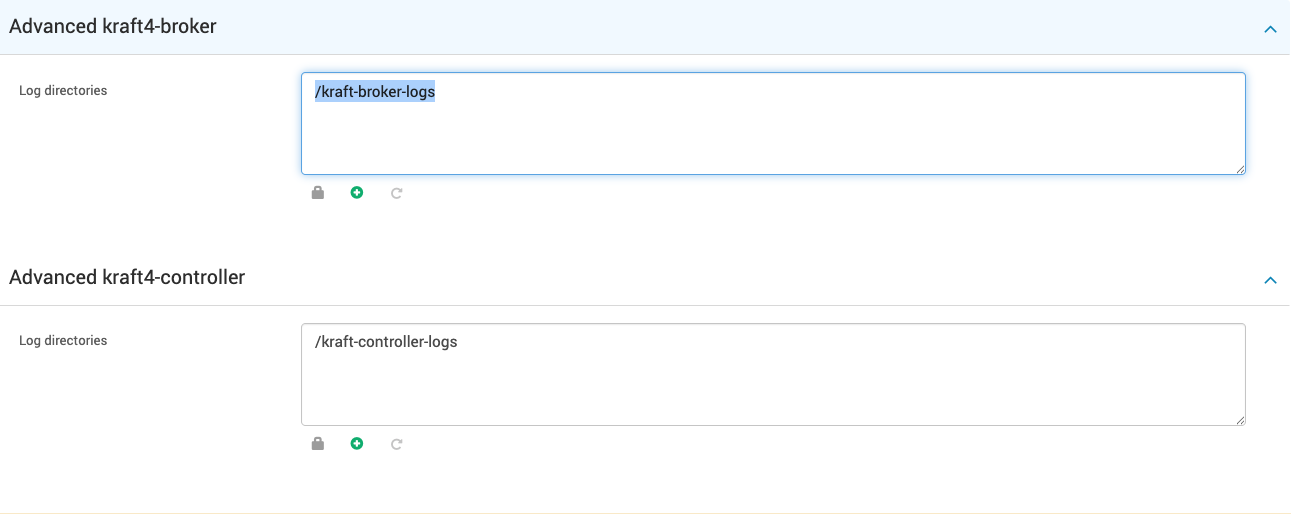

Configuration | Value / Action |
|---|---|
| Same as Kafka 3's data log directory for broker and controller. |
All required configs under Advanced Kraft4-broker and Advanced Kraft4-controller | Same as the Kafka 3 configuration. |
| Same value as configured for Kafka3 ( |
Validate post-upgrade functionality
After you start all Kafka 4 brokers, verify topics and data by consuming the earlier created topic:
Expected: You should be able to consume messages produced before the upgrade.
Finalize the upgrade
Once the Kafka 4 cluster is verified to be stable:
Update
inter.broker.protocol.versionunder Custom Kraft4-broker and Custom Kraft4-controller:inter.broker.protocol.version={kafka4.odp.version}Restart brokers one by one to apply the new protocol version.
Once the cluster's behavior and performance are verified, finalize the upgrade by running:
/usr/odp/current/kafka3-broker/bin/kafka-features.sh --bootstrap-server \ testclusterodp1:7001 upgrade --release-version 4.3
Note After this step, downgrading to an older Kafka version isn't supported.
Clean up
Delete the old Kafka 3 service from Ambari.
Do not reinstall Kafka3 with default configurations — this can overwrite or corrupt existing data.
Rollback (if required)
If the Kafka 4 upgrade encounters issues, limited rollback options are available. Rollback feasibility depends on the upgrade stage and whether broker protocol changes were applied.
Rollback feasibility matrix
Upgrade stage | Rollback feasible? | Description |
|---|---|---|
Before updating | ✅ Yes | Rollback requires Kafka 3 binaries and configurations identical to the previous setup. |
After updating | ❌ Not recommended / unsafe | At this point, data and metadata formats are upgraded. Downgrading to Kafka 3.x can result in topic corruption or broker startup failure. |
Safe rollback procedure (before protocol bump)
If rollback is still feasible — that is, the protocol version hasn't been updated yet:
Stop all Kafka 4 brokers through Ambari.
Remove the Kafka 4 service from Ambari. Don't delete the data directories.
Reinstall the Kafka 3 MPack and service using Ambari.
Ensure
log.dirsand other properties match the same values as before.Start the Kafka 3 brokers and validate cluster health by listing and consuming topics.
Verification: You should be able to consume previously stored messages.
When rollback is not possible
Rollback is not supported once:
The Kafka4 cluster has run with a newer
inter.broker.protocol.versionand the Kafka cluster's finalized feature level is Kafka 4.3.Any log compaction or retention cleanup has occurred after the upgrade.
At this stage, the data format has changed, and Kafka 3.x brokers can't safely interpret Kafka 4 logs.
Upgrade complete
You now have a fully functional Kafka4 cluster using the existing Kafka 3 data log directories.