
This page describes the step-by-step process for upgrading an existing Kafka 3.x cluster to Kafka 4.x using a sidecar (rolling) upgrade approach, where some brokers temporarily run Kafka 3 while others run Kafka 4.
This approach ensures no cluster downtime and enables a safe, gradual migration.
Current setup
The existing Kafka 3 cluster is running and healthy.
Validate the existing Kafka 3 setup
Before you start the upgrade, verify that the Kafka 3 cluster is fully functional.
List topics
Create a sample topic
Produce sample data
Consume the data
Verification: Messages are produced and consumed successfully, confirming the Kafka 3 setup is healthy.
Note
You must provide a client configuration file for Kerberos or SSL authentication. The file typically takes one of the following forms.
Kerberos enabled (
client-kerb.prop):security.protocol=SASL_PLAINTEXTSSL enabled (
client-ssl.prop):security.protocol = SSL ssl.truststore.location = /opt/security/pki/truststore.jks ssl.truststore.password = WelcomeKerberos and SSL enabled (
client-kerb-ssl.prop):security.protocol = SASL_SSL ssl.truststore.location = /opt/security/pki/truststore.jks ssl.truststore.password = WelcomeBefore you perform any Kafka operation, export the required
KAFKA_OPTS:export KAFKA_OPTS="-Djava.security.auth.login.config=/usr/odp/current/kafka4-broker/config/kafka3_jaas.conf -Djava.security.krb5.conf=/etc/krb5.conf"Run the command as the
kafkauser. If Ranger is enabled, alternatively grant the required permissions to the user from the Ranger UI before you perform the operation.
Prepare for upgrade
Update the broker protocol version
Before you install Kafka 4, update the following property under Ambari > Kafka3 > Configs > Custom kraft-broker and Custom kraft-controller. This property should point to the current kafka3.odp.version.
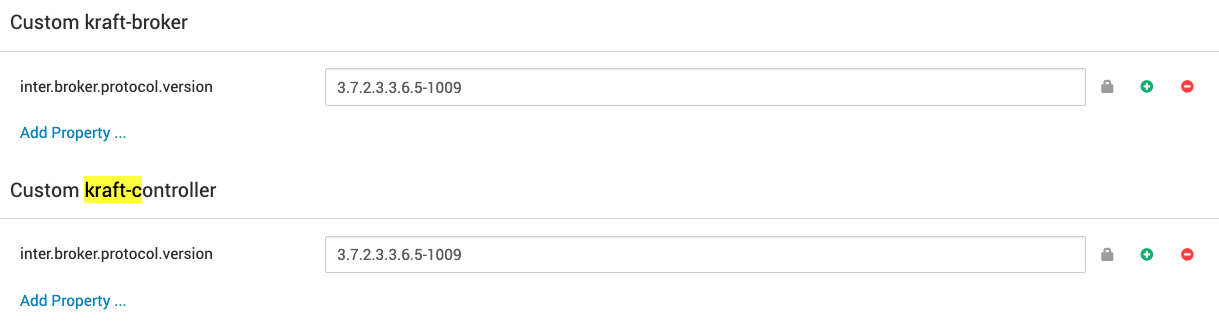
Restart all Kafka3 brokers from Ambari to apply the configuration. This ensures smooth compatibility during the upgrade.
Install the Kafka 4 management pack (MPack)
On all nodes on which Kafka 3 brokers are already running, install the Kafka 4 MPack:
Expected output:
Then restart the Ambari server:
Perform the sidecar upgrade
In the sidecar approach, brokers are upgraded one at a time — some running Kafka 3, others Kafka 4 — until all are upgraded.
Step 1: Stop one Kafka 3 broker
Using Ambari, stop the Kafka 3 broker on one node.
Step 2: Add the Kafka 4 service
In the Ambari UI, add the Kafka 4 service. During the wizard, select only one host — the same host where the stopped Kafka 3 broker was running.
Note It is mandatory to perform this upgrade in KRaft mode, not ZooKeeper.
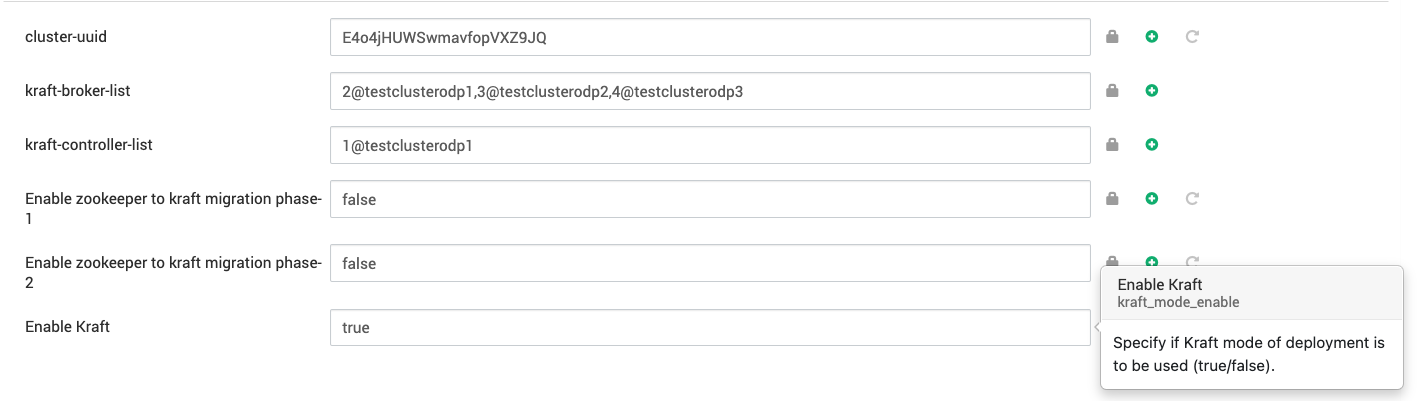
Step 3: Update the Kafka 4 configuration
Before you start the Kafka 4 broker, make the following adjustments.
Configuration | Description |
|---|---|
Log directory | Set |
inter.broker.protocol.version | Keep the same version ( |
Other broker settings | Mirror the existing Kafka 3 configuration where applicable. |
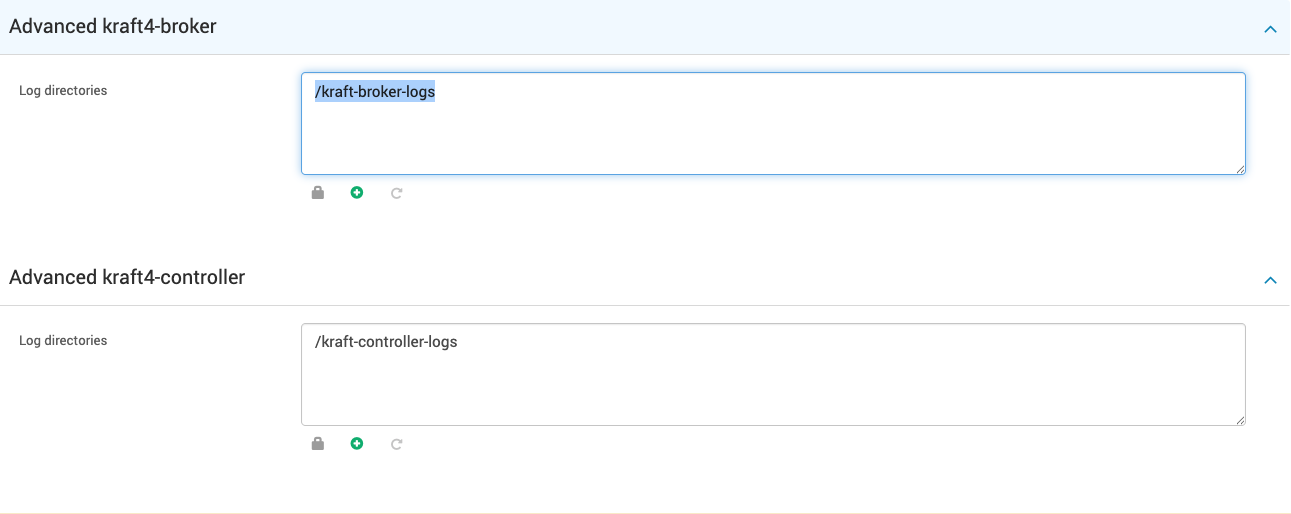
Ensure all configurations under Advanced kraft4-controller and Advanced kraft4-broker match the Kafka 3 settings.
Step 4: Start the Kafka 4 broker
Start the new Kafka 4 broker through Ambari. Once you've verified the broker joins the cluster and its state is healthy, proceed to the next step.
Step 5: Remove the corresponding Kafka 3 broker
In Ambari, delete the Kafka 3 broker (the one you stopped earlier) from the Kafka 3 service.
At this point:
n-1 brokers are running Kafka 3.
1 broker is running Kafka 4.
The mixed-version cluster (Kafka 3 + Kafka 4) is functional.

Step 6: Verify post-upgrade functionality
Test the end-to-end functionality again:
Monitor logs and metrics to confirm no errors or pending partition reassignments.
Step 7: Repeat for the remaining brokers
Repeat steps 1–6 for each remaining Kafka 3 broker until all are replaced by Kafka 4 brokers.
Finalize the upgrade
Once all brokers are running Kafka 4 and the cluster is stable:
Update the protocol version under Custom kraft-broker and Custom kraft-controller:
inter.broker.protocol.version={kafka4.odp.version}Restart brokers one by one to apply the new protocol version.
Once the cluster's behavior and performance are verified, finalize the upgrade by running:
bin/kafka-features.sh --bootstrap-server localhost:9092 upgrade --release-version 4.3
Note After this step, downgrading to an older Kafka version is not supported.
Cleanup and post-upgrade notes
Once all brokers have been migrated and validated:
Delete the Kafka 3 service from Ambari.
Do not reinstall Kafka 3 using default configurations, as it can corrupt or override existing data directories.
Kafka 4 upgrade complete
Your Kafka cluster is now fully upgraded to Kafka 4.x, with all brokers running on the new version and reusing the existing data log directories.