Instead of connecting clients directly to the Trino coordinator, configure them to connect to Trino Gateway.
Example CLI Usage
Here is an example of accessing the same Trino cluster, either directly through the Coordinator or through Trino Gateway:
Kerberos Configuration Requirement
When connecting through Trino Gateway using Kerberos, add the following parameter:
The ${SERVICE} token is automatically resolved by the Trino CLI and must not be modified.
By default, krb5-service-principal-pattern uses:
When connecting through Trino Gateway, replace
${HOST}with the Trino coordinator host instead of the Trino Gateway host. This ensures that Kerberos authentication is performed against the Trino coordinator service principal.
Query History
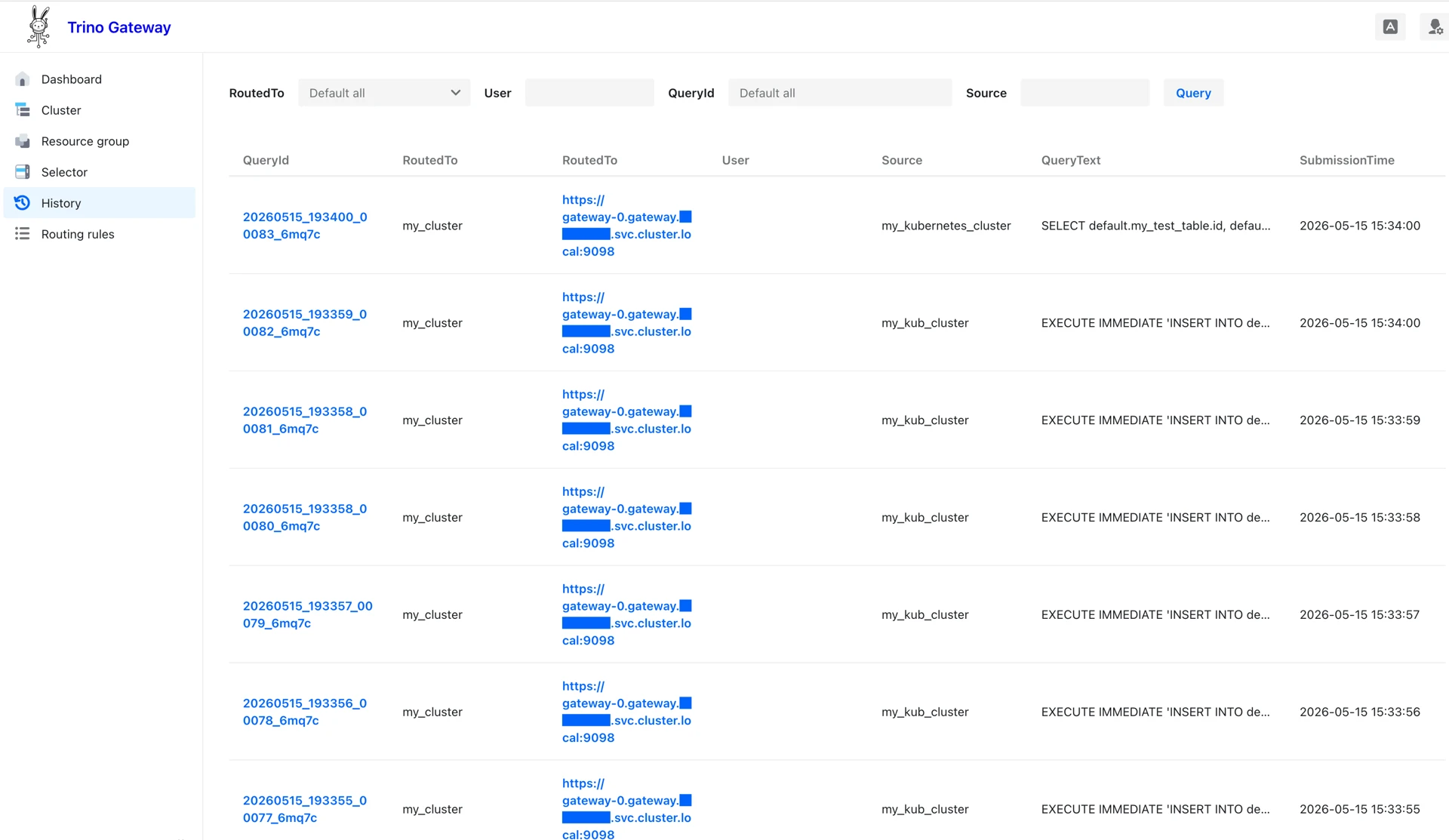
After queries are executed through Trino Gateway, the query history becomes visible in the UI.
The UI displays:
Query source
Routed Trino cluster
Query ID
The Query ID links to detailed query information on the destination Trino coordinator.