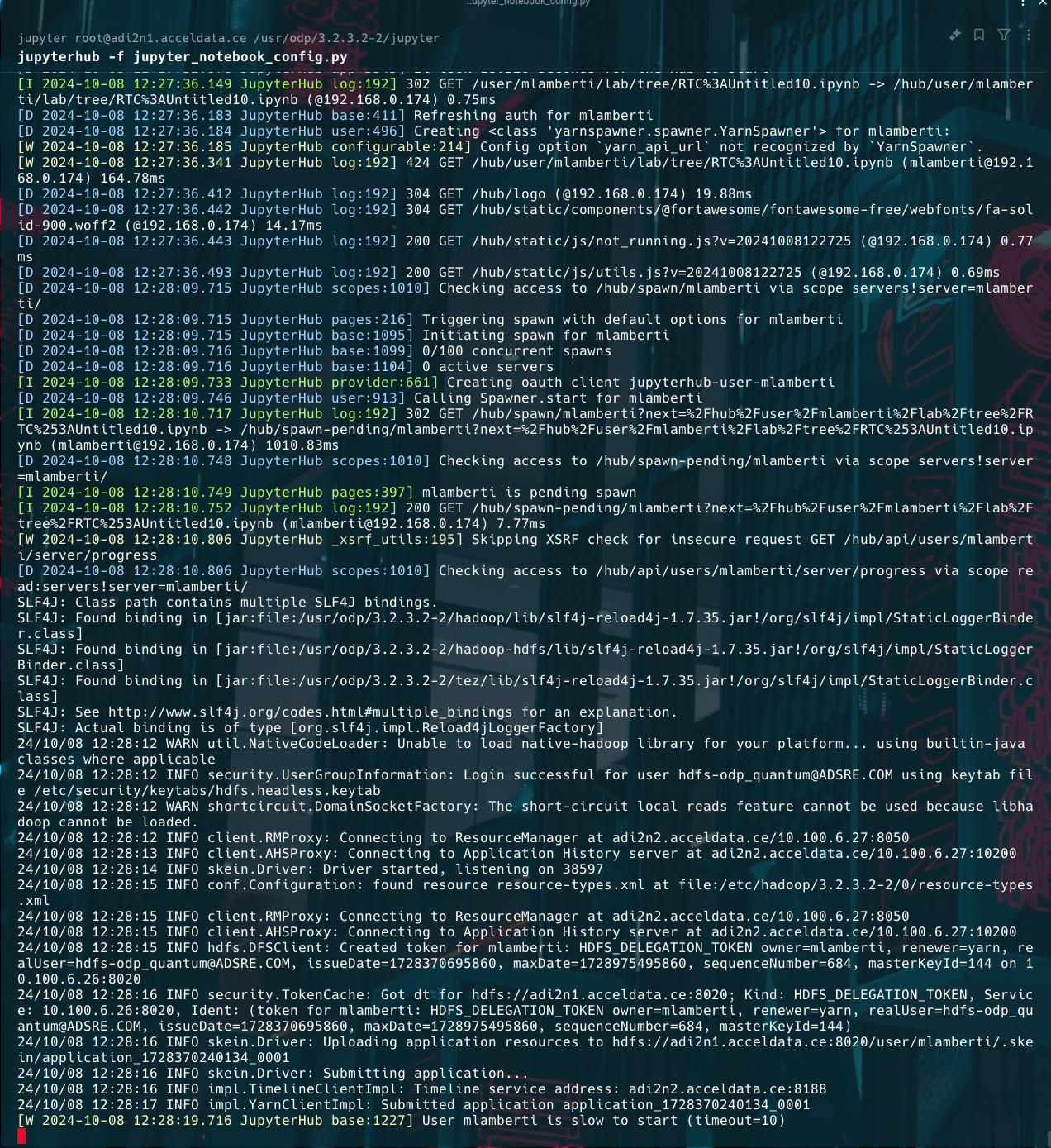
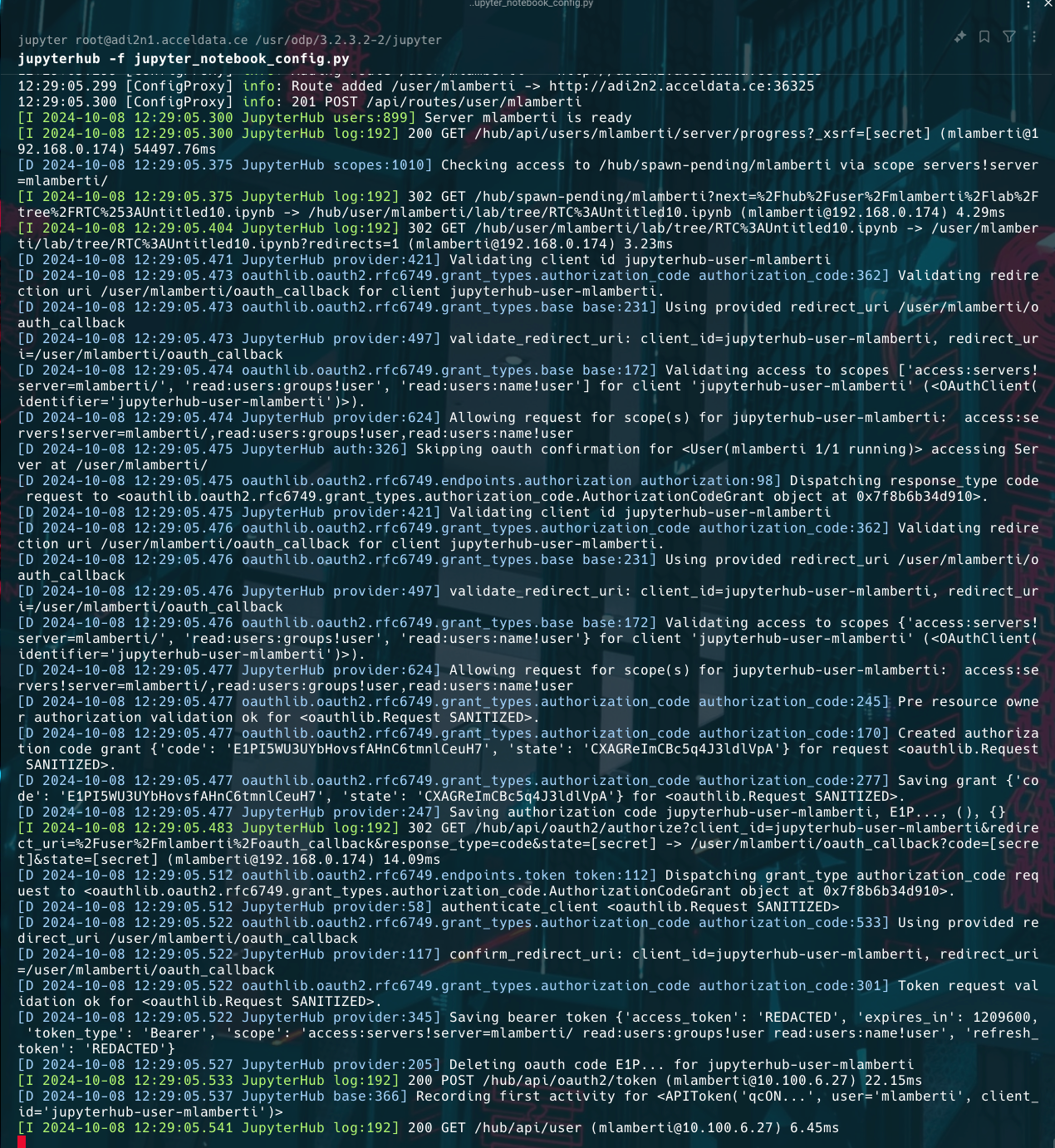
The current authentication setup for JupyterHub with YarnSpawner and HDFSCM supports both Dummy Authentication for testing purposes and LDAP for production use, providing flexibility based on the deployment requirements.
Choose any one of the following authentication.
Dummy Authentication Setup
The Dummy Authentication in JupyterHub allows users to log in with pre-defined usernames without requiring a real authentication backend. This is typically used for testing purposes. If you are not planning to configure LDAP at the moment, you can set up Dummy Authentication as a temporary solution.
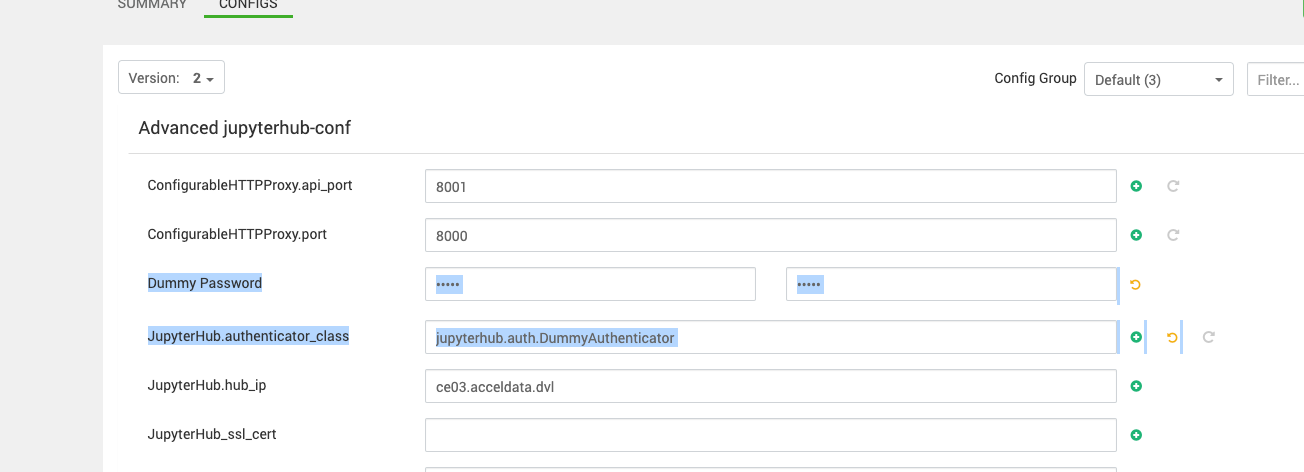
JupyterHub.authenticator_class = jupyterhub.auth.DummyAuthenticator
Dummy Password = admin (choose any)
PAM Authentication Setup
PAM (Pluggable Authentication Modules) is a framework used to manage authentication on Unix-like systems. It provides a way for system administrators to configure authentication methods and policies, such as password authentication, fingerprint authentication, or even smart cards. PAM allows JupyterHub to authenticate users based on their system-level credentials (e.g., username and password stored in /etc/passwd and /etc/shadow).
In JupyterHub, the PAMAuthenticator class integrates this PAM authentication system, enabling users to log in with their existing operating system accounts without needing separate credentials for JupyterHub.
How to Enable PAM Authentication in JupyterHub?
To enable PAM authentication in JupyterHub, follow these steps:
Install JupyterHub: Ensure JupyterHub is installed on your system:
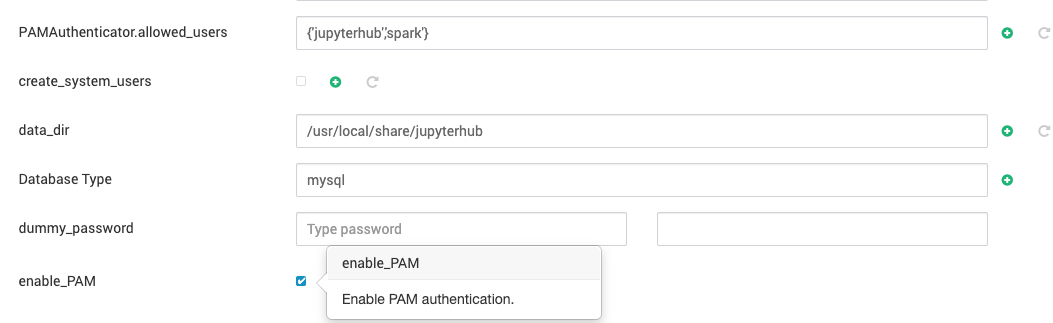
Configure PAMAuthenticator: Edit the jupyterhub_config.py file to specify PAMAuthenticator as the authenticator.
c.JupyterHub.authenticator_class = 'jupyterhub.auth.PAMAuthenticator'
Optional Configuration:
c.PAMAuthenticator.allowed_users = {'user1', 'user2'}
c.PAMAuthenticator.service = 'my_pam_service'
Ensure PAM is Configured: Make sure PAM is installed and configured on your system. On most Linux systems, PAM is already set up by default.
Start JupyterHub: Run JupyterHub, and users will authenticate using their system credentials.
Summary
Enabling PAM authentication in JupyterHub allows users to log in using their operating system credentials. By setting the PAMAuthenticator in the jupyterhub_config.py file, you can integrate system-level authentication seamlessly. PAM provides flexibility, letting you use various authentication mechanisms supported by your operating system.
LDAP Authentication Setup
JupyterHub supports LDAP for user authentication. Due to limitations in the default LDAP package, we recommend using a different LDAP integration project for JupyterHub. Below are the steps for configuring LDAP authentication and ensuring smooth operation with HDFS and YarnSpawner.
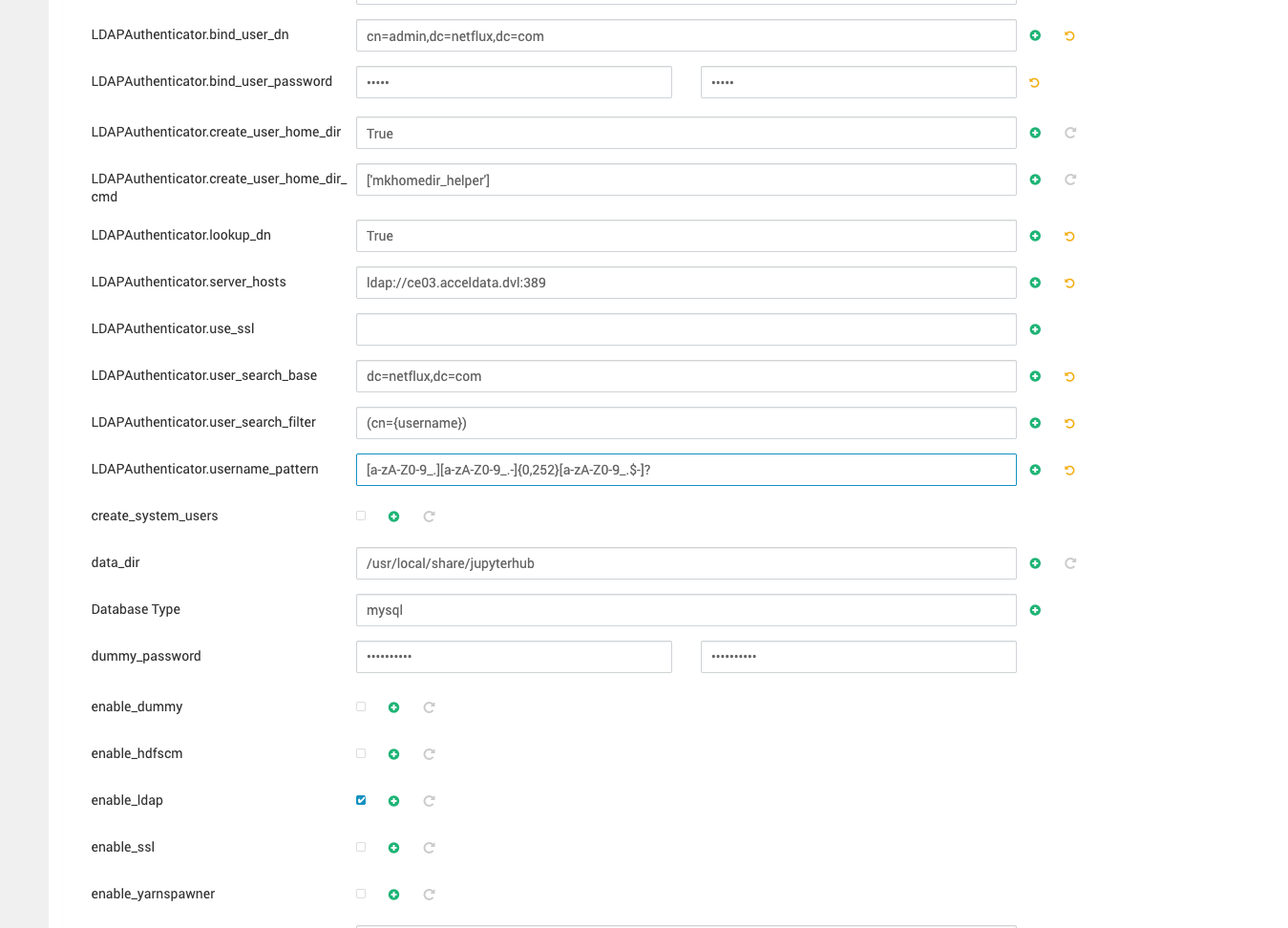
Add the LDAP configuration in Ambari UI.
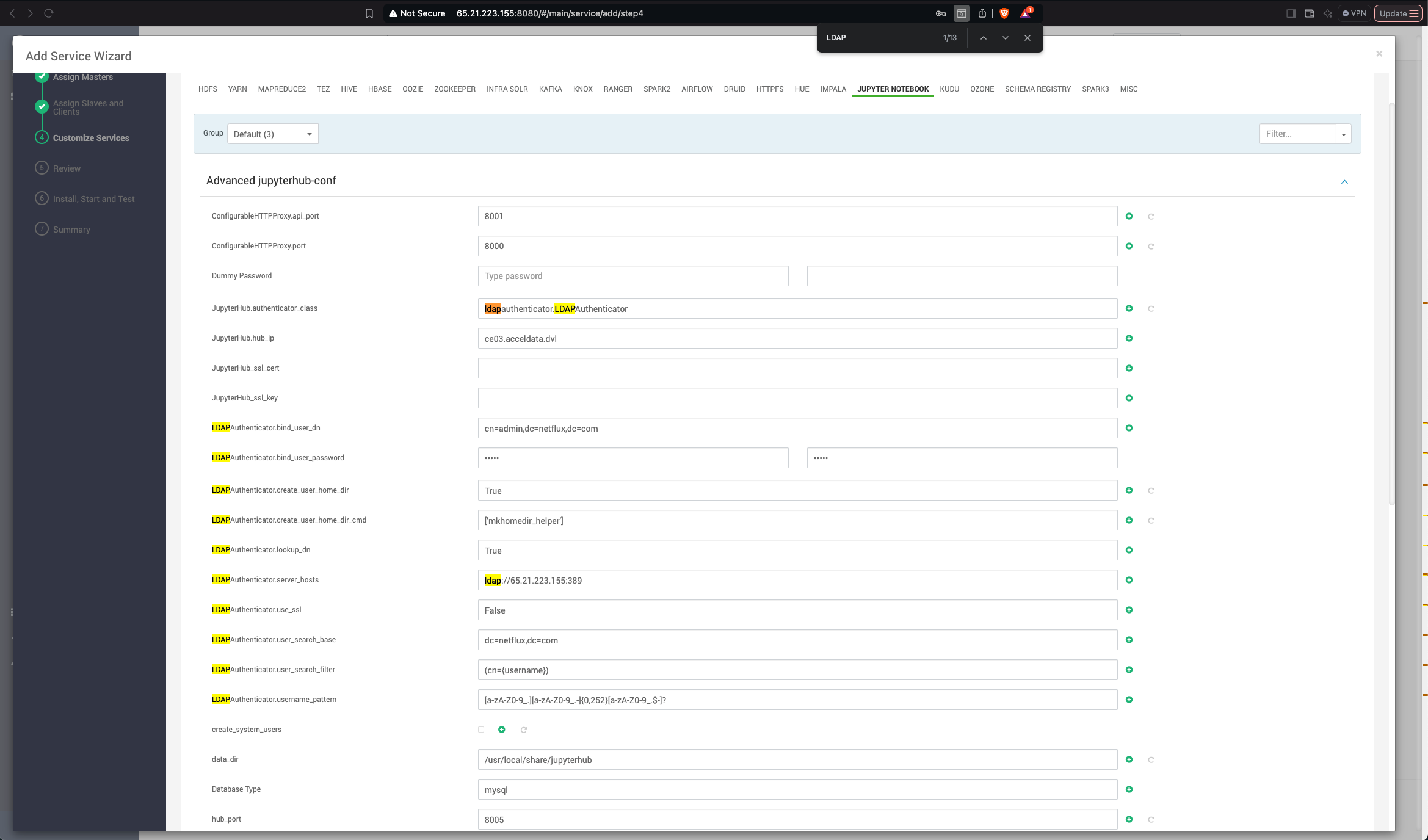
#------------------------------------------------------------------------------
# LDAP configuration
#------------------------------------------------------------------------------
# Set LDAPAuthenticator as the authenticator class
#c.JupyterHub.authenticator_class = 'ldapauthenticator.LDAPAuthenticator'
# LDAP server host and port
#c.LDAPAuthenticator.server_hosts = ['ldap:__65.21.223.155:389']
# Bind DN and password for LDAP connection
#c.LDAPAuthenticator.bind_user_dn = 'cn=admin,dc=netflux,dc=com'
#c.LDAPAuthenticator.bind_user_password = 'admin'
# Base DN and search filter for user lookup
#c.LDAPAuthenticator.user_search_base = 'dc=netflux,dc=com'
#c.LDAPAuthenticator.user_search_filter = '(cn={username})'
#c.LDAPAuthenticator.lookup_dn = True
#c.LDAPAuthenticator.use_ssl = False
# Username pattern (valid characters for usernames)
#c.LDAPAuthenticator.username_pattern = '[a-zA-Z0-9_.][a-zA-Z0-9_.-]{0,252}[a-zA-Z0-9_.$-]?'
# Create home directory on login
#c.LDAPAuthenticator.create_user_home_dir = True
#c.LDAPAuthenticator.create_user_home_dir_cmd = ['mkhomedir_helper']
Save the configurations and restart the service. Ensure the user is added to the YARN queue to grant them permission to submit jobs.
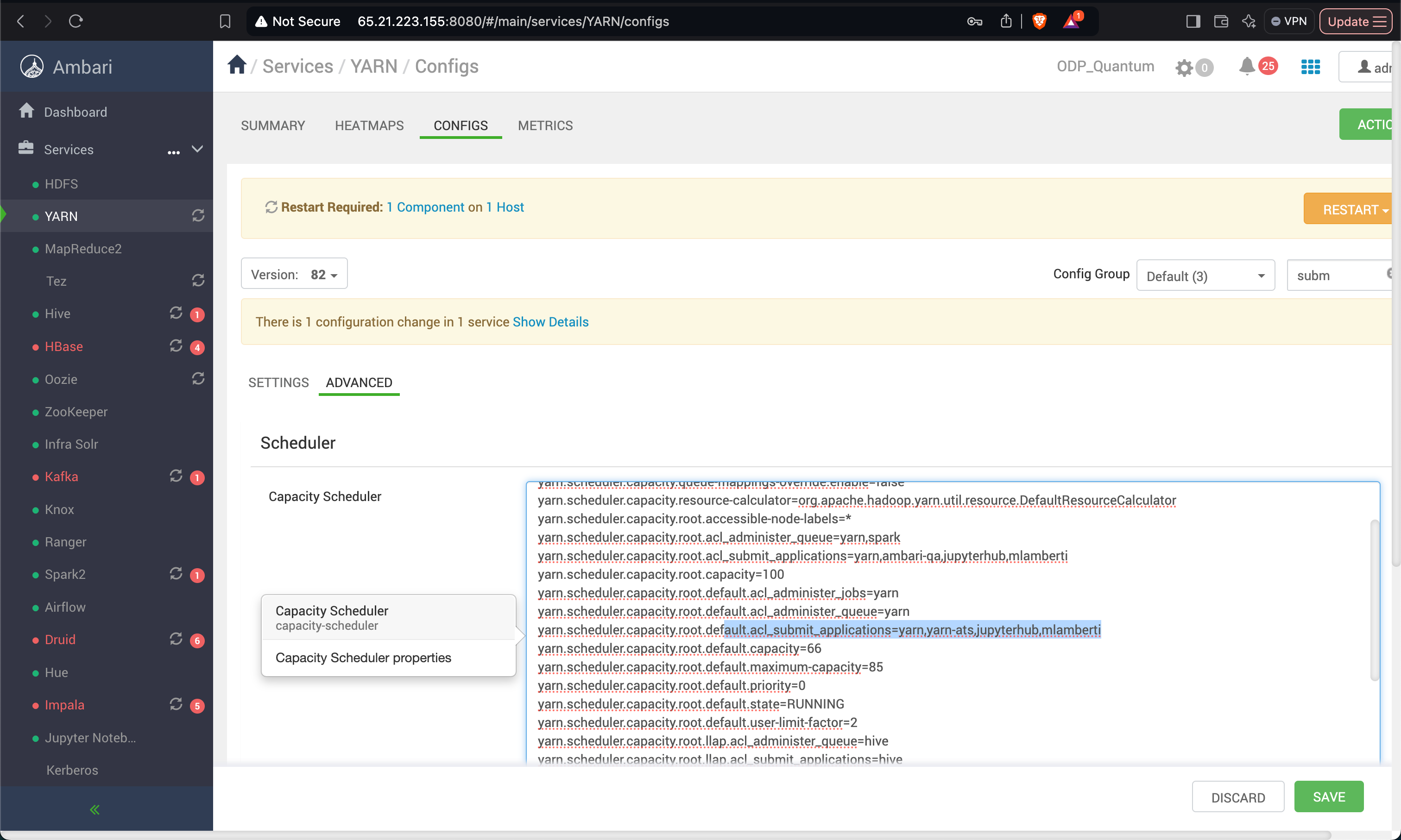
Add Users and Set Permissions
The error indicates that the user mlamberti does not have sufficient write permissions on the HDFS path /user. The issue arises because the YarnSpawner is trying to create a directory or file in /user, but mlamberti lacks the necessary permissions.
To resolve this, follow these steps:
Verify HDFS Permissions
Check the current permissions of the /user directory:
You must see something like this for /user:
drwxrwxr-x - hdfs hadoop 0 2024-11-29 _user
This means:
Owner: hdfs has full permissions.
Group: hadoop has read, write, and execute permissions.
Others: Only read and execute permissions (no write).
Grant Specific Permissions to mlamberti
If the default HDFS behavior is to create a directory for the user at /user/mlamberti, ensure that mlamberti has write permissions to /user or manually create and set permissions for /user/mlamberti.
Option A: Manually Create and Set Permissions for /user/mlamberti
Create a directory.
hdfs dfs -mkdir _user_mlamberti
Set the owner and permissions.
hdfs dfs -chown mlamberti:jupyterhub _user_mlamberti
hdfs dfs -chmod 700 _user_mlamberti
Option B: Grant Group Write Access to /user
If multiple users need write access to /user (not recommended unless necessary).
Add mlamberti to the hadoop group.
sudo usermod -aG hadoop mlamberti
Adjust /user permissions to allow group write.
hdfs dfs -chmod 775 _user
Add Permission for the LDAP User
Add permission for the LDAP user to /home directory.
sudo chown -R mlamberti:jupyterhub _home_mlamberti
sudo chmod -R g+rwx _home_mlamberti
sudo chmod -R g+s _home_mlamberti
Steps to Fix the Permission Issue (Perform on all the Nodes)
Verify Ownership and Permissions Check the ownership and permissions of the /home/jupyterhub/.jupyter and /home/jupyterhub/.jupyter/runtime directories.
ls -ld _home_jupyterhub_
Change Ownership If the directories are not owned by the jupyterhub group or the mlamberti user does not have access, modify the ownership.
sudo chown -R jupyterhub:jupyterhub _home_jupyterhub_
sudo chmod -R 777 _home_jupyterhub_
Ensure Group Access To allow all members of the jupyterhub group (including mlamberti) to write.
sudo chmod -R g+rwx _home_jupyterhub_
Set SGID for Consistent Group Ownership Enable the SGID bit on the .jupyter directory so that files and subdirectories inherit the jupyterhub group.
sudo chmod g+s _home_jupyterhub_
Restart JupyterHub and Log in Using the LDAP User Credentials
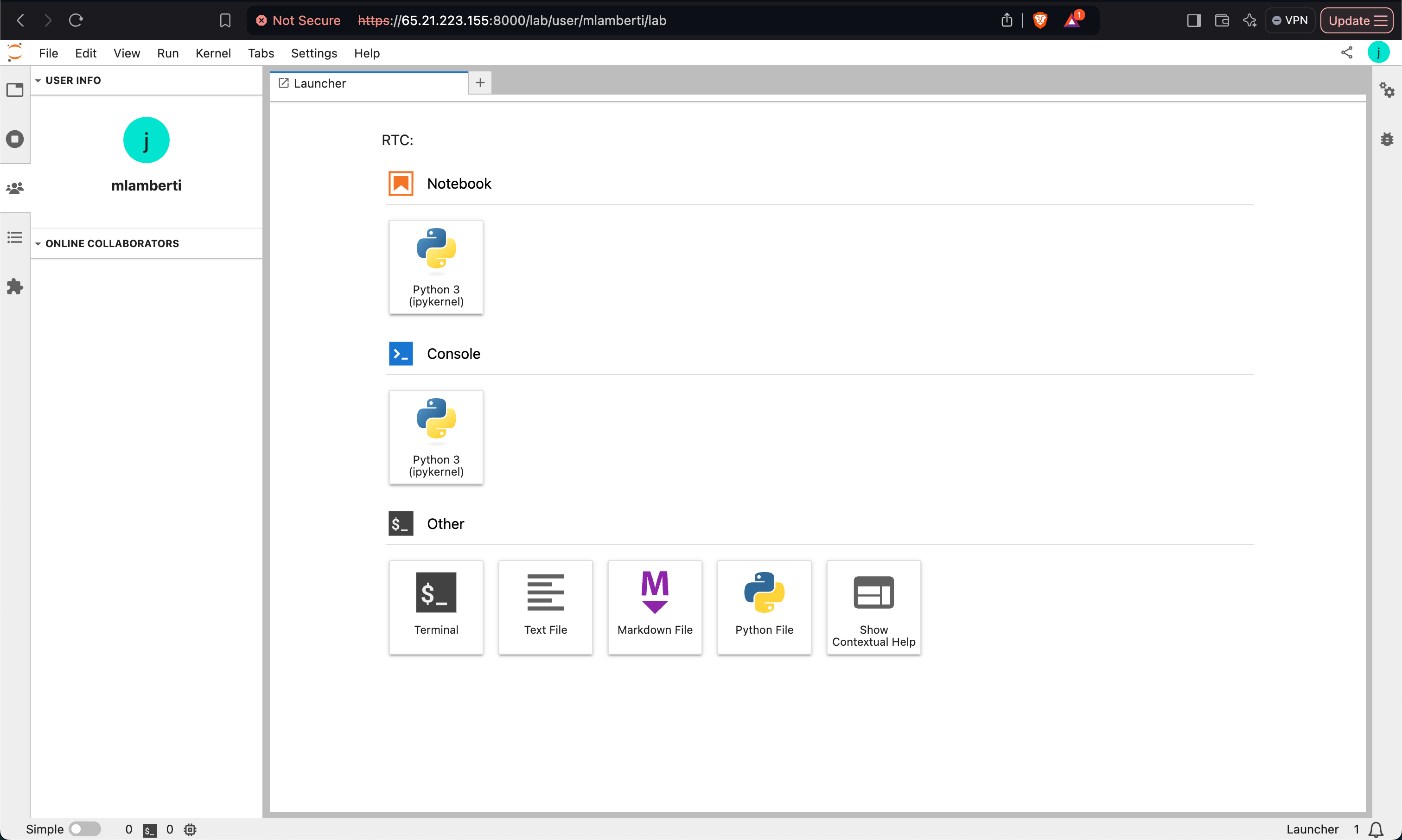
Verify the notebooks on HDFS path for LDAP users.
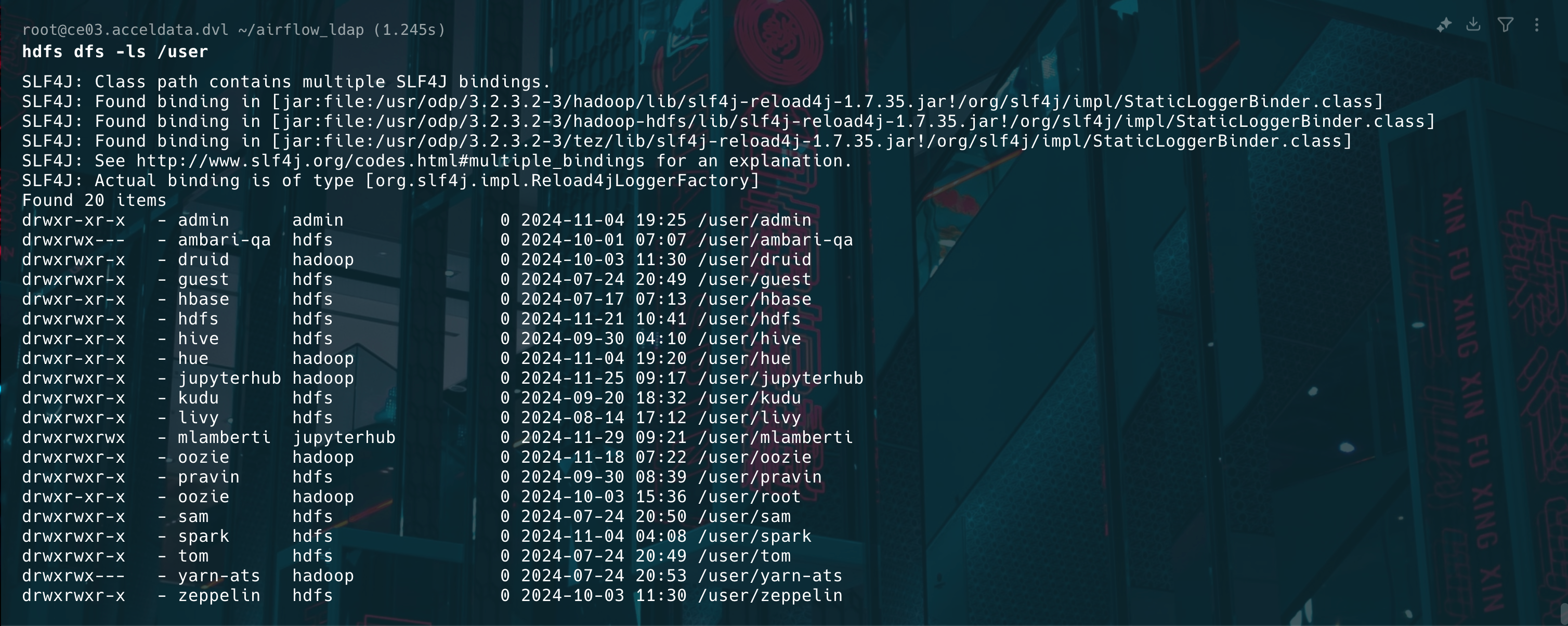
Validate HDFS and Notebook Setup
hdfs dfs -ls _user_mlamberti_notebooks
hdfs dfs -ls _user_jupyterhub
hdfs dfs -ls _user_jupyterhub_notebooks
hdfs dfs -ls _user_mlamberti
SLF4J: Class path contains multiple SLF4J bindings.
SLF4J: Found binding in [jar:file:_usr_odp_3.2.3.3-3_hadoop_lib_slf4j-reload4j-1.7.35.jar!_org_slf4j_impl_StaticLoggerBinder.class]
SLF4J: Found binding in [jar:file:_usr_odp_3.2.3.3-3_hadoop-hdfs_lib_slf4j-reload4j-1.7.35.jar!_org_slf4j_impl_StaticLoggerBinder.class]
SLF4J: Found binding in [jar:file:_usr_odp_3.2.3.3-3_tez_lib_slf4j-reload4j-1.7.35.jar!_org_slf4j_impl_StaticLoggerBinder.class]
SLF4J: See http:__www.slf4j.org_codes.html#multiple_bindings for an explanation.
SLF4J: Actual binding is of type [org.slf4j.impl.Reload4jLoggerFactory]
Found 2 items
drwxr-xr-x - mlamberti hdfs 0 2024-10-07 16:43 _user_mlamberti_.skein
drwxr-xr-x - mlamberti hdfs 0 2024-10-07 16:38 _user_mlamberti_notebooks
hdfs dfs -ls _user_mlamberti_notebooks
SLF4J: Class path contains multiple SLF4J bindings.
SLF4J: Found binding in [jar:file:_usr_odp_3.2.3.3-3_hadoop_lib_slf4j-reload4j-1.7.35.jar!_org_slf4j_impl_StaticLoggerBinder.class]
SLF4J: Found binding in [jar:file:_usr_odp_3.2.3.3-3_hadoop-hdfs_lib_slf4j-reload4j-1.7.35.jar!_org_slf4j_impl_StaticLoggerBinder.class]
SLF4J: Found binding in [jar:file:_usr_odp_3.2.3.3-3_tez_lib_slf4j-reload4j-1.7.35.jar!_org_slf4j_impl_StaticLoggerBinder.class]
SLF4J: See http:__www.slf4j.org_codes.html#multiple_bindings for an explanation.
SLF4J: Actual binding is of type [org.slf4j.impl.Reload4jLoggerFactory]
Found 7 items
drwxr-xr-x - mlamberti hdfs 0 2024-10-07 14:36 _user_mlamberti_notebooks_.ipynb_checkpoints
-rw-r--r-- 3 mlamberti hdfs 904 2024-10-07 14:36 _user_mlamberti_notebooks_Untitled.ipynb
-rw-r--r-- 3 mlamberti hdfs 376 2024-10-07 15:34 _user_mlamberti_notebooks_Untitled1.ipynb
-rw-r--r-- 3 mlamberti hdfs 904 2024-10-07 16:19 _user_mlamberti_notebooks_Untitled2.ipynb
-rw-r--r-- 3 mlamberti hdfs 376 2024-10-07 16:20 _user_mlamberti_notebooks_Untitled3.ipynb
-rw-r--r-- 3 mlamberti hdfs 1410 2024-10-07 16:38 _user_mlamberti_notebooks_Untitled4.ipynb
drwxr-xr-x - mlamberti hdfs 0 2024-10-04 21:58 _user_mlamberti_notebooks_shared
hdfs dfs -ls _user_jupyterhub
SLF4J: Class path contains multiple SLF4J bindings.
SLF4J: Found binding in [jar:file:_usr_odp_3.2.3.3-3_hadoop_lib_slf4j-reload4j-1.7.35.jar!_org_slf4j_impl_StaticLoggerBinder.class]
SLF4J: Found binding in [jar:file:_usr_odp_3.2.3.3-3_hadoop-hdfs_lib_slf4j-reload4j-1.7.35.jar!_org_slf4j_impl_StaticLoggerBinder.class]
SLF4J: Found binding in [jar:file:_usr_odp_3.2.3.3-3_tez_lib_slf4j-reload4j-1.7.35.jar!_org_slf4j_impl_StaticLoggerBinder.class]
SLF4J: See http:__www.slf4j.org_codes.html#multiple_bindings for an explanation.
SLF4J: Actual binding is of type [org.slf4j.impl.Reload4jLoggerFactory]
Found 3 items
drwxr-xr-x - jupyterhub hdfs 0 2024-10-04 21:28 _user_jupyterhub_.skein
drwxr-xr-x - jupyterhub hdfs 0 2024-10-03 22:03 _user_jupyterhub_environments
drwxr-xr-x - jupyterhub hdfs 0 2024-09-12 14:38 _user_jupyterhub_notebooks
hdfs dfs -ls _user_jupyterhub_notebooks
SLF4J: Class path contains multiple SLF4J bindings.
SLF4J: Found binding in [jar:file:_usr_odp_3.2.3.3-3_hadoop_lib_slf4j-reload4j-1.7.35.jar!_org_slf4j_impl_StaticLoggerBinder.class]
SLF4J: Found binding in [jar:file:_usr_odp_3.2.3.3-3_hadoop-hdfs_lib_slf4j-reload4j-1.7.35.jar!_org_slf4j_impl_StaticLoggerBinder.class]
SLF4J: Found binding in [jar:file:_usr_odp_3.2.3.3-3_tez_lib_slf4j-reload4j-1.7.35.jar!_org_slf4j_impl_StaticLoggerBinder.class]
SLF4J: See http:__www.slf4j.org_codes.html#multiple_bindings for an explanation.
SLF4J: Actual binding is of type [org.slf4j.impl.Reload4jLoggerFactory]
Found 6 items
drwxr-xr-x - jupyterhub hdfs 0 2024-09-10 15:51 _user_jupyterhub_notebooks_.ipynb_checkpoints
drwxr-xr-x - jupyterhub hdfs 0 2024-09-12 14:38 _user_jupyterhub_notebooks_Untitled Folder
-rw-r--r-- 3 jupyterhub hdfs 616 2024-09-10 15:51 _user_jupyterhub_notebooks_Untitled.ipynb
-rw-r--r-- 3 jupyterhub hdfs 381 2024-09-11 14:53 _user_jupyterhub_notebooks_Untitled1.ipynb
-rw-r--r-- 3 jupyterhub hdfs 904 2024-09-11 14:55 _user_jupyterhub_notebooks_Untitled2.ipynb
drwxr-xr-x - jupyterhub hdfs 0 2024-09-10 15:41 _user_jupyterhub_notebooks_shared
hdfs dfs -mkdir -p _user_mlamberti_notebooks
hdfs dfs -mkdir -p _user_jupyterhub_notebooks
hdfs dfs -chown -R mlamberti:hdfs _user_mlamberti
hdfs dfs -chown -R jupyterhub:hdfs _user_jupyterhub
Start JupyterHub
Activate the JupyterHub Environment
source _usr_odp_3.2.3.3-3_jupyterhub_env_bin_activate
Run JupyterHub
jupyterhub -f _path_to_jupyterhub_config.py
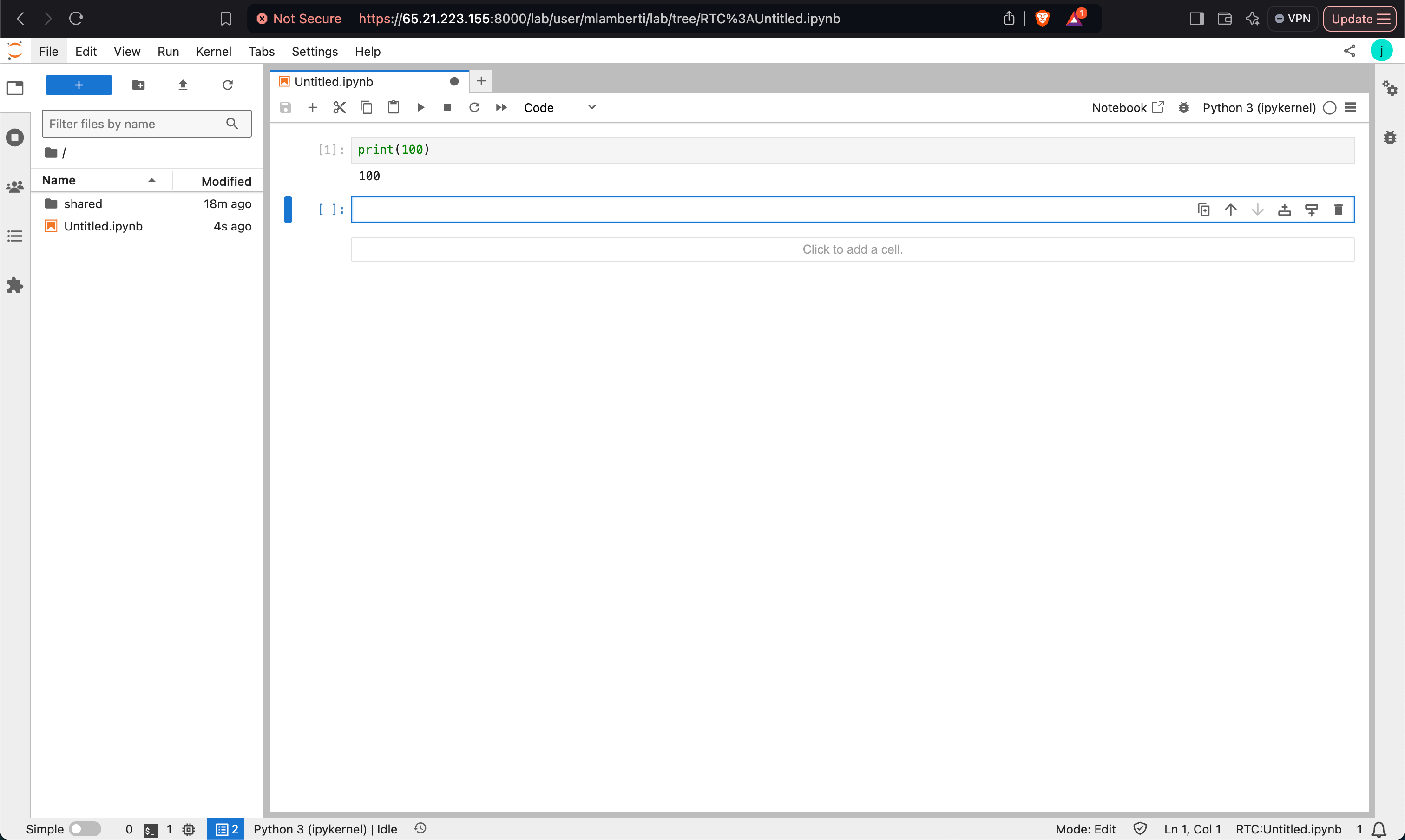
Log in with LDAP User Credentials: Confirm that users can log in using their LDAP credentials and access their respective notebooks in HDFS.
Verify Functionality
By following these steps, you can successfully configure LDAP authentication for JupyterHub and ensure seamless integration with HDFS and YarnSpawner.