
Documentation
ODP 3.3.6.5-1
Release Notes
What is ODP
Installation
Component User guide and Installation Instructions
Upgrade Instructions
Downgrade Instructions
Reference Guide
Security Guide
Troubleshooting Guide
Uninstall ODP
Page
Code Steps
Category
Label
Link
Separator
Title
Message
Page icon
No icon. This page keeps the plain index row.
orSVG or PNG, square, at least 32×32.
Create new category
What is the title of your new category?
Edit page index title
What is the title of the page index?
Edit category
What is the new title of your category?
Edit link
What is the new title and URL of your link?
Configure the Hue metastore
Summarize Page
Copy Markdown
Open in ChatGPT
Open in Claude
Connect to Cursor
Connect to VS Code
Configure the Hue metastore from the Ambari UI.
Hue supports the following databases:
SQLite
MySQL
PostgreSQL
Oracle
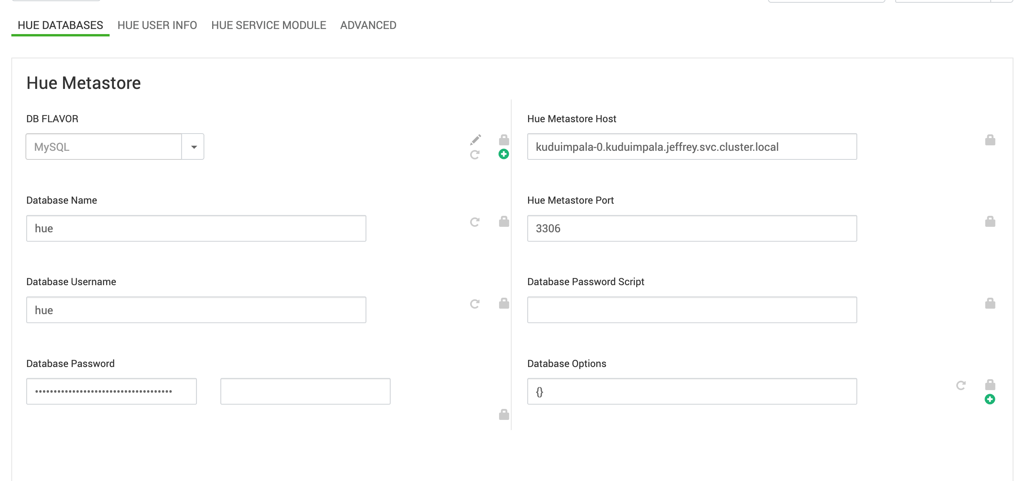
Note: SQLite is supported but isn't recommended for production environments because database contention can occur.
Configure the database
In the Ambari UI, go to the Hue configuration page.
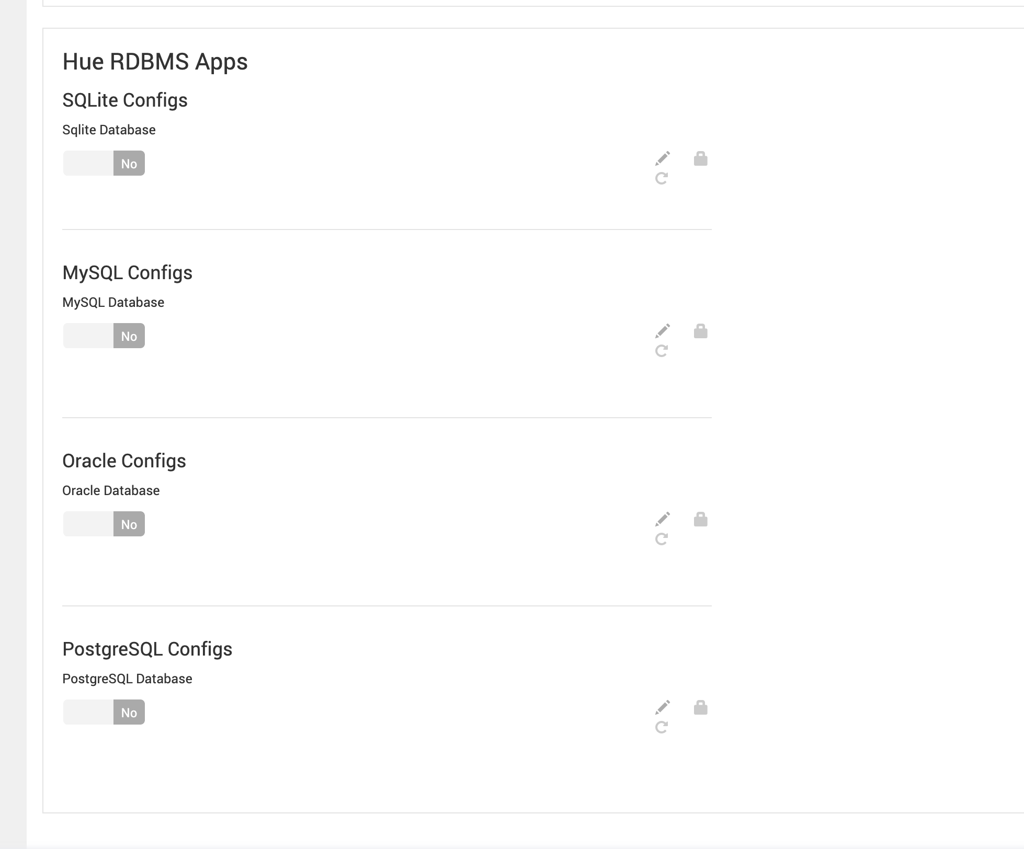
Select the database type that you want to use.
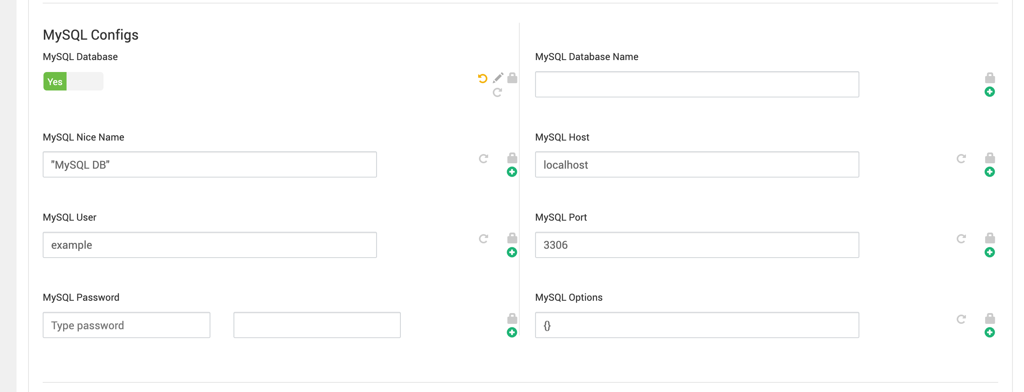
Enable the selected database type.
Enter the required database connection information.
Save the configuration.
Last updated on Aug 31, 2026
Was this page helpful?
Next to read:
Configure Hive with Huenull
Discard Changes
Do you want to discard your current changes and overwrite with the template?
Archive Synced Block
Message
Create new Template
What is this template's title?
Delete Template
Message