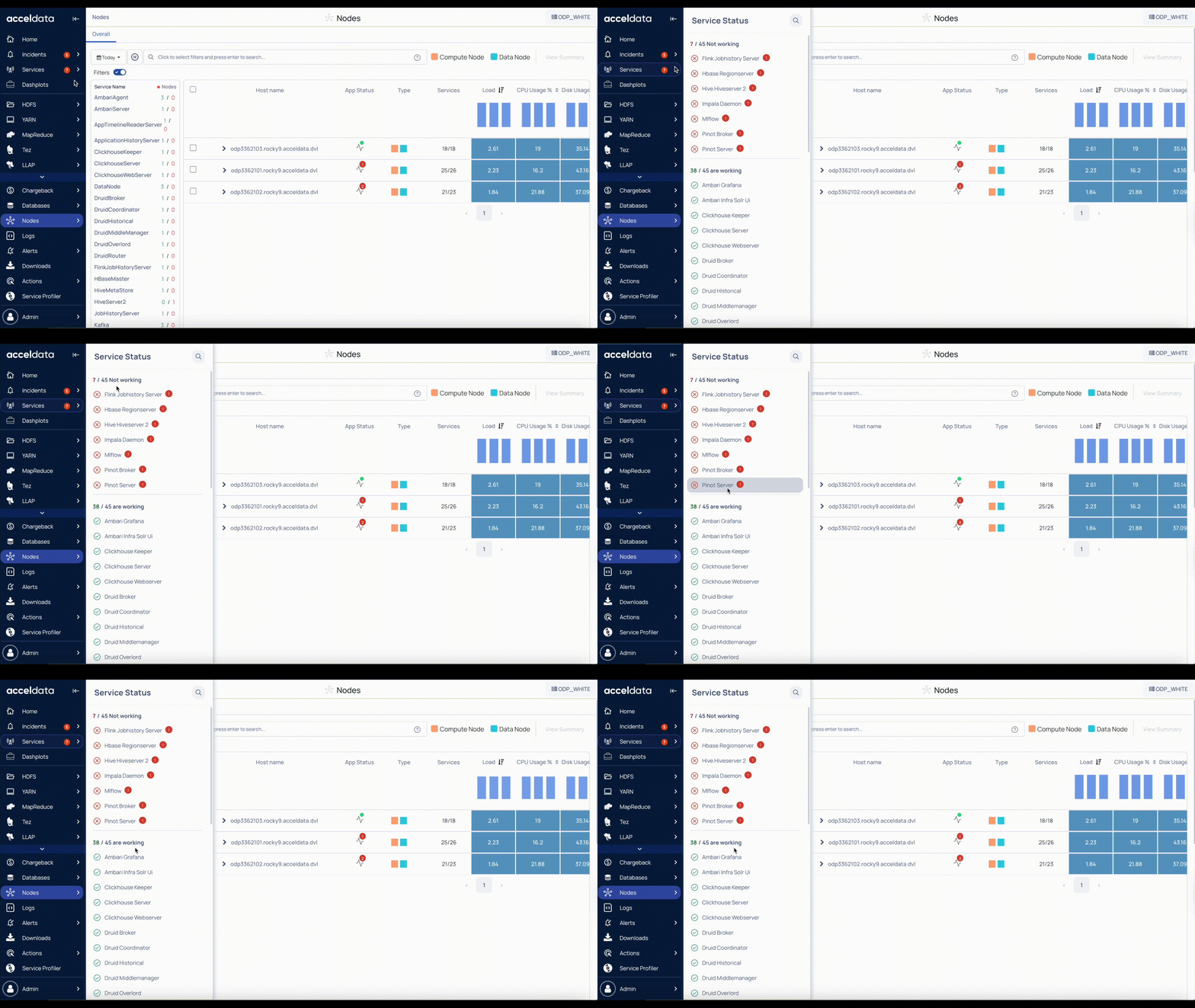
The Nodes page displays the status of Hadoop services deployed across your cluster. This view helps you quickly verify service availability, detect failures, and ensure cluster reliability.
Ways to Check Service Status
You can monitor the service status at both cluster and node levels.
On a Node-Level
List of Services
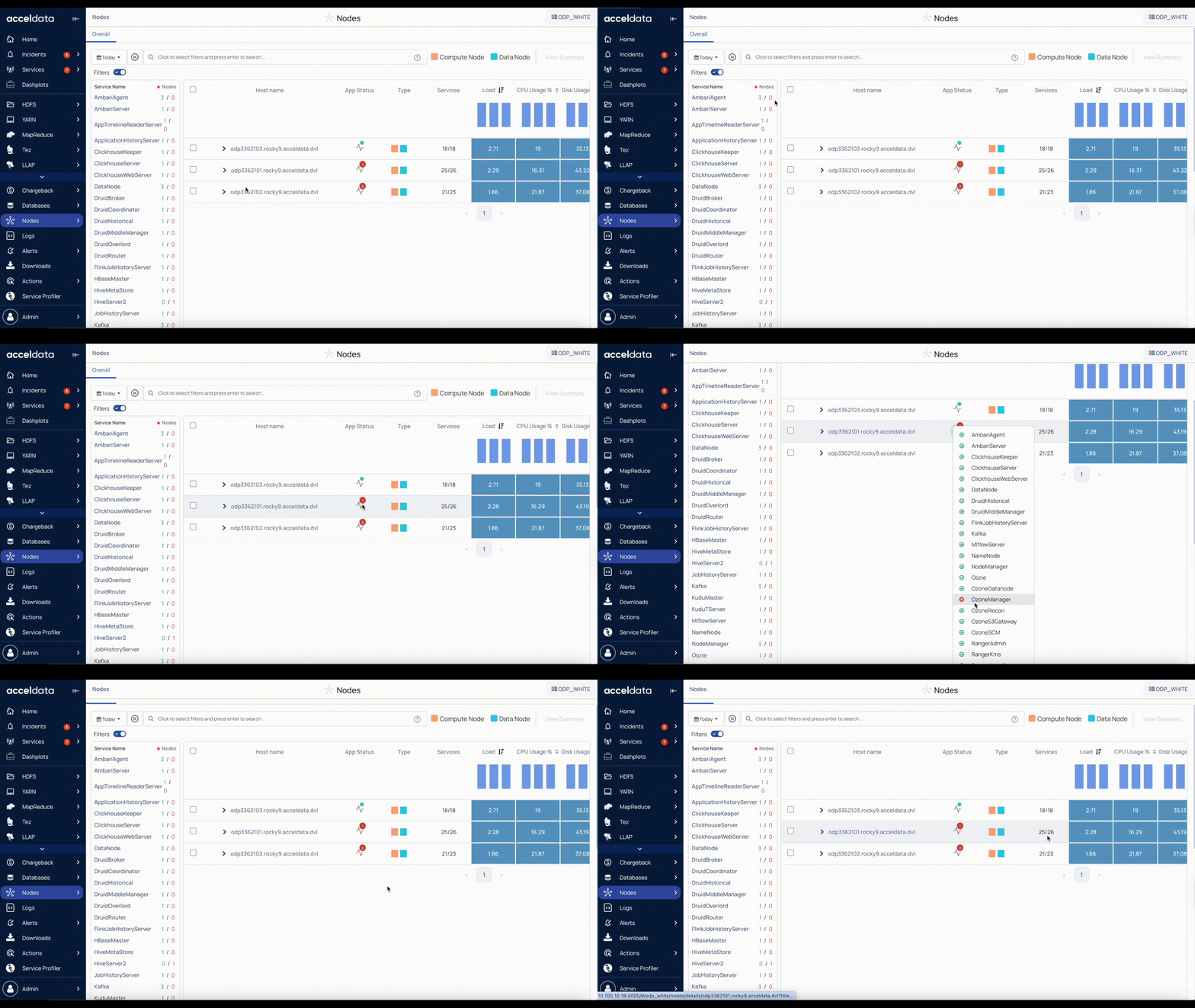
View the status of all services directly from the Nodes > Summary page. Ensure the filter option is enabled.
Service Name: Displays the list of services deployed across all nodes in a cluster.
Availability Summary: Displays the total number of nodes where the service is running versus the number of nodes where the service is down.
Example: Kafka (3/1) → 3 nodes have the Kafka service running, 1 node has it down.
Service-Level Status
Service Status: Shows the number of services in Down status. Click the status icon to see which services are up or down.
Service Count: Shows the number of services in Up status compared to the total services on the node
Example: (25/26) → 25 services are Up out of a total of 26.
On a Cluster-Level
In the Pulse UI, select Services from the left navigation bar to view the service status across the cluster in a consolidated view.
Use the service status indicators to quickly detect issues and prioritize troubleshooting for nodes or services with downtime.