
User Guide
Pulse 4.1.x
Get Started
Architecture
Core Concepts
Monitor and Analyze
Core Hadoop Services
Query and Processing Services
Streaming and Messaging Services
Workflow and Orchestration Services
Data Management Services
Database and Warehouse Services
Data Flow and Serialization Services
Security and Governance Services
Manage Alerts and Actions
Optimize Resources
Generate Reports
Manage Users and Roles
Workflows
Title
Message
Create new category
What is the title of your new category?
Edit page index title
What is the title of the page index?
Edit category
What is the new title of your category?
Edit link
What is the new title and URL of your link?
LLAP Tables
Summarize Page
Copy Markdown
Open in ChatGPT
Open in Claude
Connect to Cursor
Connect to VS Code
Click LLAP --> Tables to view the list of tables. By default, the list of tables is sorted in order of highest number of queries that utilized this table in the given timeframe.
Click a table to view more details about a table in the LLAP Table Details page.
| Column Name | Description |
|---|---|
| Name | The name of the table. |
| Query Count | The number of queries running on the table. |
| Row Count | The number of rows in the table. |
| # of Join Columns | The number of joins at column level. |
| Last User | The user name that recently accessed the table. |
| Last Accessed | The most recent date and time at which the table was accessed. |
| Last Query Run | The most recent query run. |
Search Option
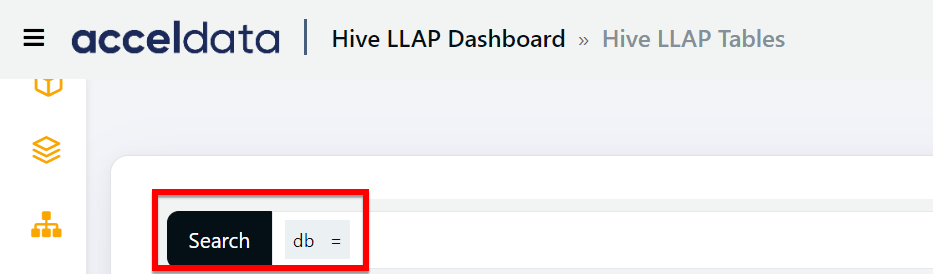
### Perform the following steps to search for a record in the search bar.
- Select a search parameter. Pulse provides you multiple search parameters.
- Select a suitable operator for your parameter.
- Enter the search term and hit the enter key.
For String Data type fields, you can use the =~ operator. This operator allows you to search strings by entering partial string. You can also use regular expressions to search a required value.
Type to search, ESC to discard
Last updated on
Was this page helpful?
Next to read:
LLAP Table DetailsFor additional help, contact www.acceldata.force.com OR call our service desk +1 844 9433282
Copyright © 2026
Discard Changes
Do you want to discard your current changes and overwrite with the template?
Archive Synced Block
Message
Create new Template
What is this template's title?
Delete Template
Message