
Pulse alerts help you monitor the health and availability of Ranger and Ranger KMS services by continuously checking key metrics and triggering notifications when issues are detected.
You can:
Enable built-in stock alerts to automatically track when the Ranger Admin and Ranger KMS services become unreachable.
Enable predefined alerts that run multiple queries to detect more complex issues.
Create custom alerts for Ranger and Ranger KMS using metrics such as JVM Memory and JVM OS for Admin, KMS, and User Sync components with defined thresholds.
These alerts enable you to detect failures early, respond more quickly to service degradation, and maintain system reliability.
Types of Alerts
Pulse provides different types of alerts to help you monitor Ranger and Ranger KMS effectively.
You can enable built-in stock and predefined alerts, customize and enable stock and predefined ones, or create your own to track specific metrics with conditions.
Alert Type | Description |
|---|---|
Stock Alerts | These are built-in alerts with preconfigured filters and actions. You can enable, disable, or modify them based on your monitoring needs. |
Predefined Alerts | These are stock alerts with multiple queries for deeper customization. |
Custom Alerts | These are user-created alerts with fully configurable filters, actions, and notifications. |
View and Create "Ranger and Ranger KMS" Alerts
In the Pulse UI, navigate to the Alerts page to monitor Ranger and Ranger KMS-specific alerts:
Select Service: Ranger and Ranger KMS to view all available stock and any custom alerts you have created, respectively.
Select Predefined to view and manage editable, multi-query alerts for Ranger and Ranger KMS.
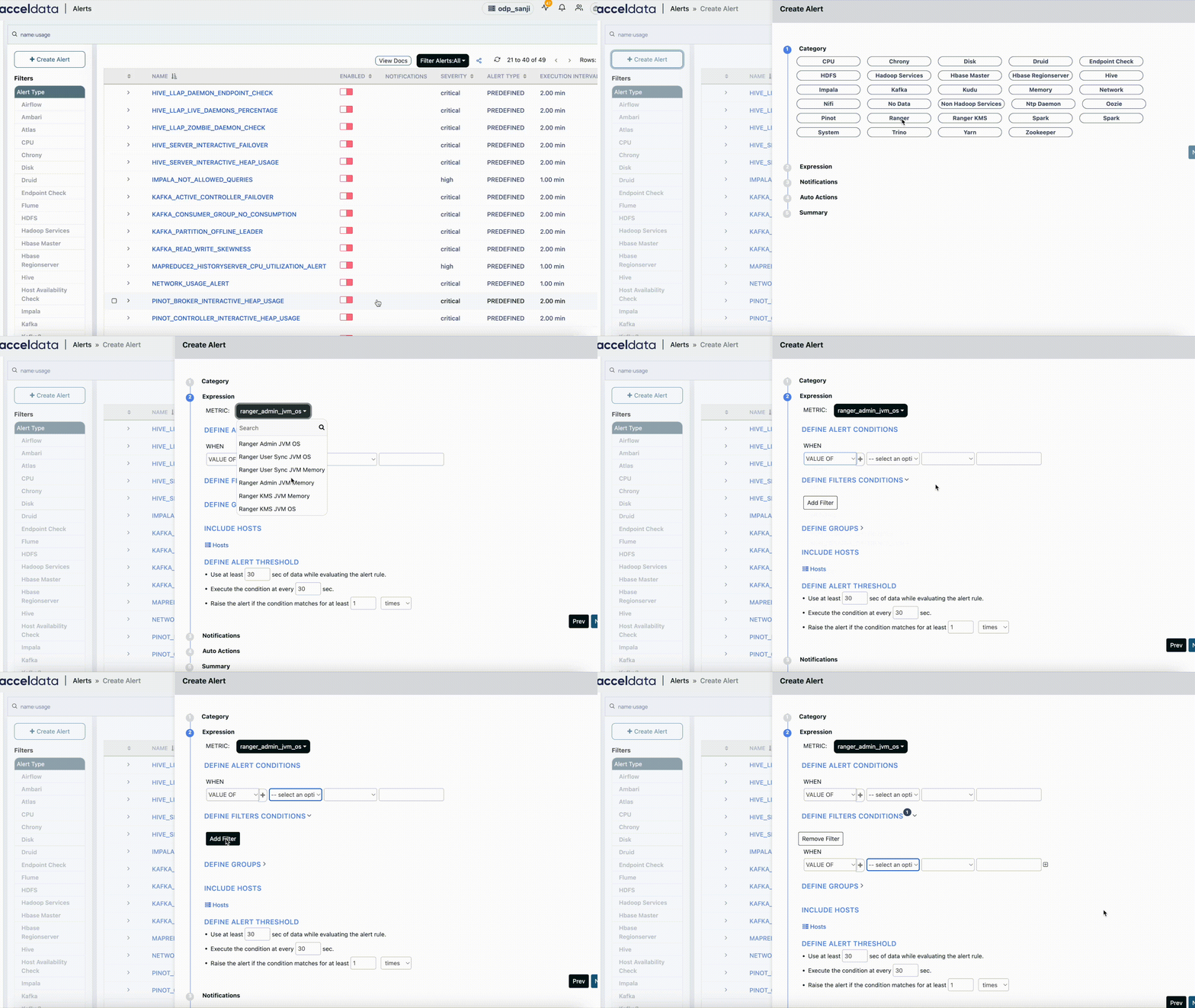
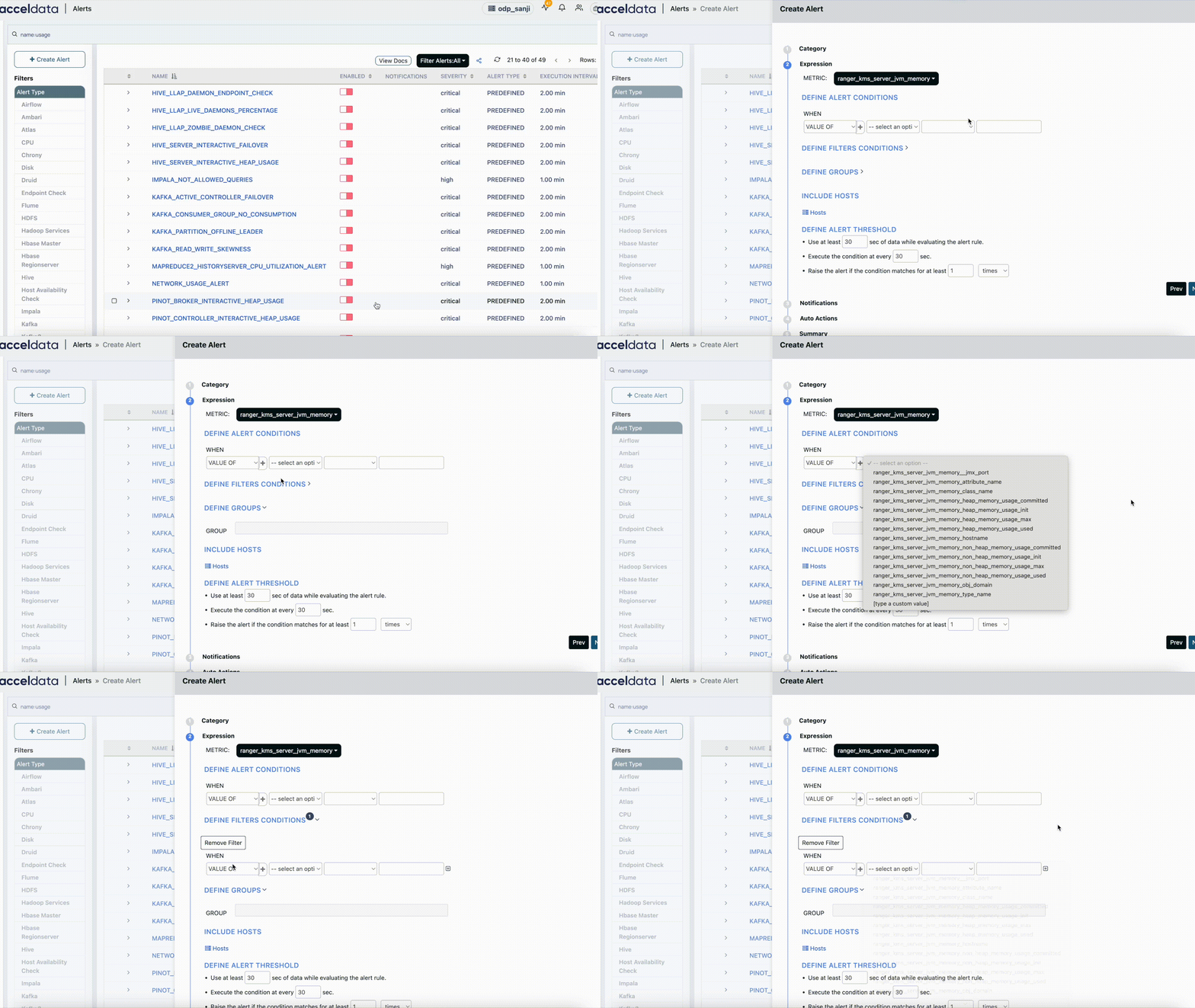
To create a custom alert, click Create Alerts, choose Category: Ranger or Ranger KMS, and select the metric. Set threshold conditions to trigger the alert. Once created, it gets added to the respective services.
Ranger and Ranger KMS Stock Alerts
Pulse provides built-in (stock) alerts with preconfigured filters and conditions. You can enable, disable, or modify these alerts based on your monitoring needs. These are useful for detecting common failures such as service unavailability.
Alert Name | Description |
|---|---|
| Triggered when the Ranger Admin service is unavailable, indicating potential service downtime or network issues. |
| Triggered when the Ranger KMS service is unavailable, affecting coordination and metadata operations. |
Ranger and Ranger KMS Predefined Alerts
These are stock alerts with multiple queries for deeper customization.
Alert Name | Description |
|---|---|
| Triggered when Ranger Admin heap usage exceeds the defined threshold. Ensure the JVM heap maximum value is configured to enable this alert. |
| Triggered when Ranger KMS heap usage exceeds the defined threshold. Ensure the JVM heap maximum value is configured to enable this alert. |
Ranger and Ranger KMS Custom Alerts
Custom alerts let you define alert logic using "Ranger and Ranger KMS-specific metrics" and conditions.
You can configure filters, set thresholds, and choose notification channels to monitor what matters most in your environment.
Ranger-specific Metrics
Ranger KMS-specific Metrics
For detailed information about creating alerts and sending notifications, see Creating Alerts.
For the complete list of Pulse stock and predefined alerts, see Stock and Predefined Alerts.