
You can create alerts for detecting high small-file counts in HDFS directories using FS Analytics.
You can configure threshold-based alerts grouped by path to proactively identify directories with excessively small files and prevent HDFS performance issues.
For details about configuring the small files threshold, see Configure HDFS Small File Threshold.
Configure Paths for Creating an Alert
Step 1: Update Paths
On the Pulse node, navigate to:
Update the file with the required paths.
Example:
Ensure no trailing slashes
Ensure to keep one path in one line.
Step 2: Reload FSImage
After updating the paths, reload the FSImage:
Steps to Create an Alert
In the Pulse UI, go to Alerts.
On the Alerts page, click Create Alerts.
On the Create Alerts page, select the following:
Category: HDFS
Metric: HDFS Root Analysis
Condition:
AVG(hdfs_root_analysis_small_files) >= <threshold>
For example, if you set the threshold here to 10, then when the number of small files in the directories mentioned in the pathanalysis.txt is >= 10, an alert will be triggered.
Group By:
Path
Scope:
Select the required hosts
Define Alert Threshold: (you can use any of them to define the threshold)
Set the data evaluation window in the alert threshold ≥ FS Analytics report cadence
Or, ensure the data evaluation window you mention in the Alert threshold is more than: Current Time - (minus) the last time you ran the FS load command:
accelo admin fsa load.
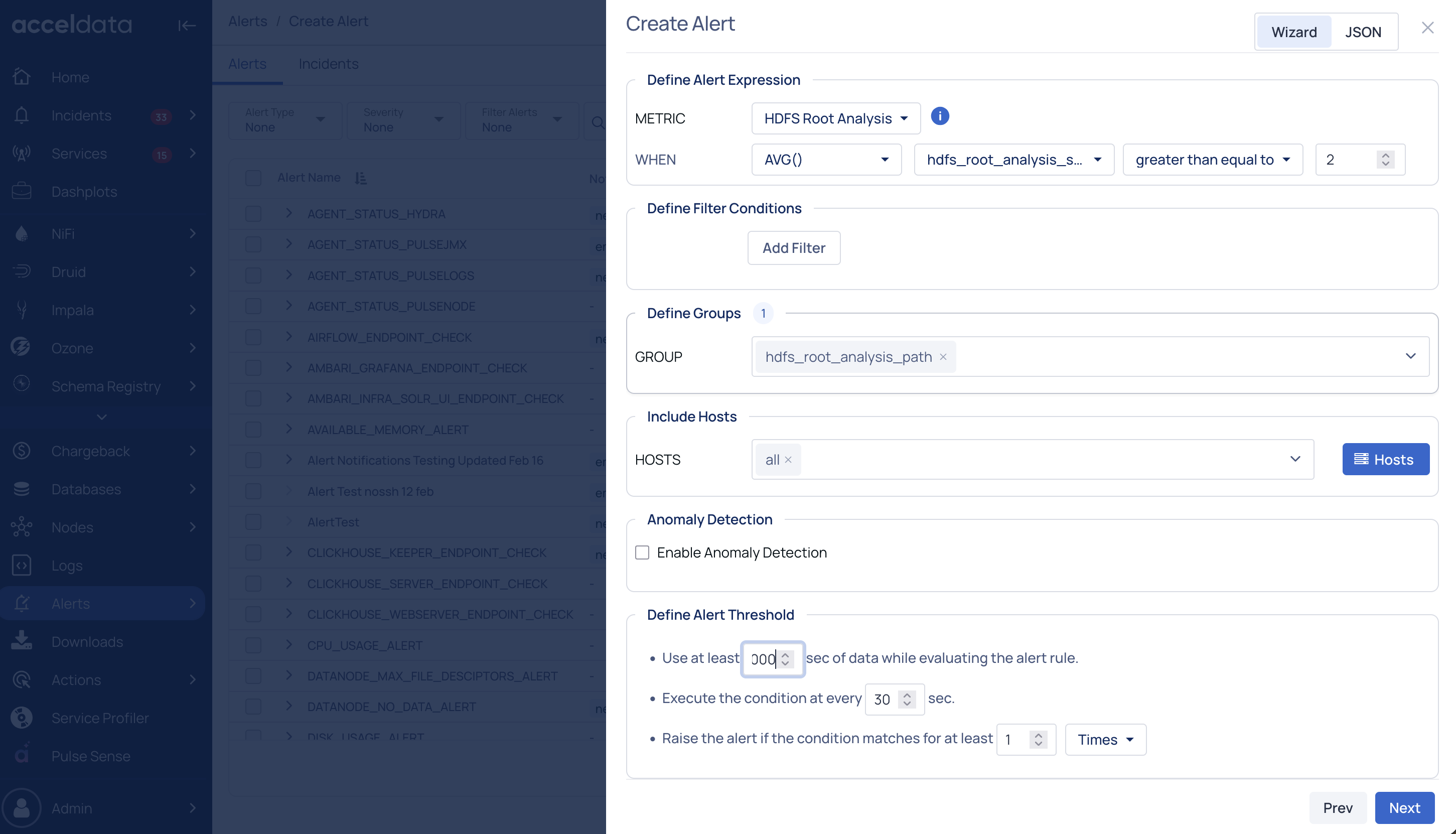
This configuration triggers alerts when a directory exceeds the defined small-files threshold.