
Pulse provides Impala Canary actions that help you test, validate, and monitor Impala availability and query performance. You can configure, execute, and track these actions directly from the Pulse UI.
Available Canary Actions:
impala-canary-create-delete-table – Creates and deletes a table in Impala to validate responsiveness and stability.
impala-canary-select – Executes a select query to measure query latency and success rate.
Ensure the Impala shell (impala-shell) command-line tool is installed and configured on the host.
Verify that the host can successfully connect to the Impala service.
This host is typically the Impala client node specified in the Select Host field when configuring the Impala canary action in Pulse.
Impala Canary Permission Requirement
Impala canary execution may fail in environments where the Impala service user does not have the required HDFS permissions to access Hive warehouse directories.
For environments using the Beeswax protocol (typically Impala 3.2 and earlier), the following ACLs must be granted to the impala user:
Without these permissions, Impala may fail to create or access the canary database during validation.
Impala 3.2 and earlier versions do not support the HiveServer2 (
hs2orhs2-http) protocol. These deployments use the Beeswax protocol, which requires the above HDFS ACLs to be explicitly granted. If Ranger is not enabled, else give access via Ranger to the Impala user.
This action validates end-to-end Impala operations by creating and deleting a table on a specified Impala Server.
Workload
Creates a table on a user-specified Impala Server.
Deletes the table.
Metrics Collected
Query success/failure status.
Query execution time (end-to-end latency).
Steps to Configure
In the Pulse UI, go to Actions from the left navigation bar.
From the list of actions, select impala_canary_create_delete-table or hover over the name and click the three-dots menu (⋮) > Edit.
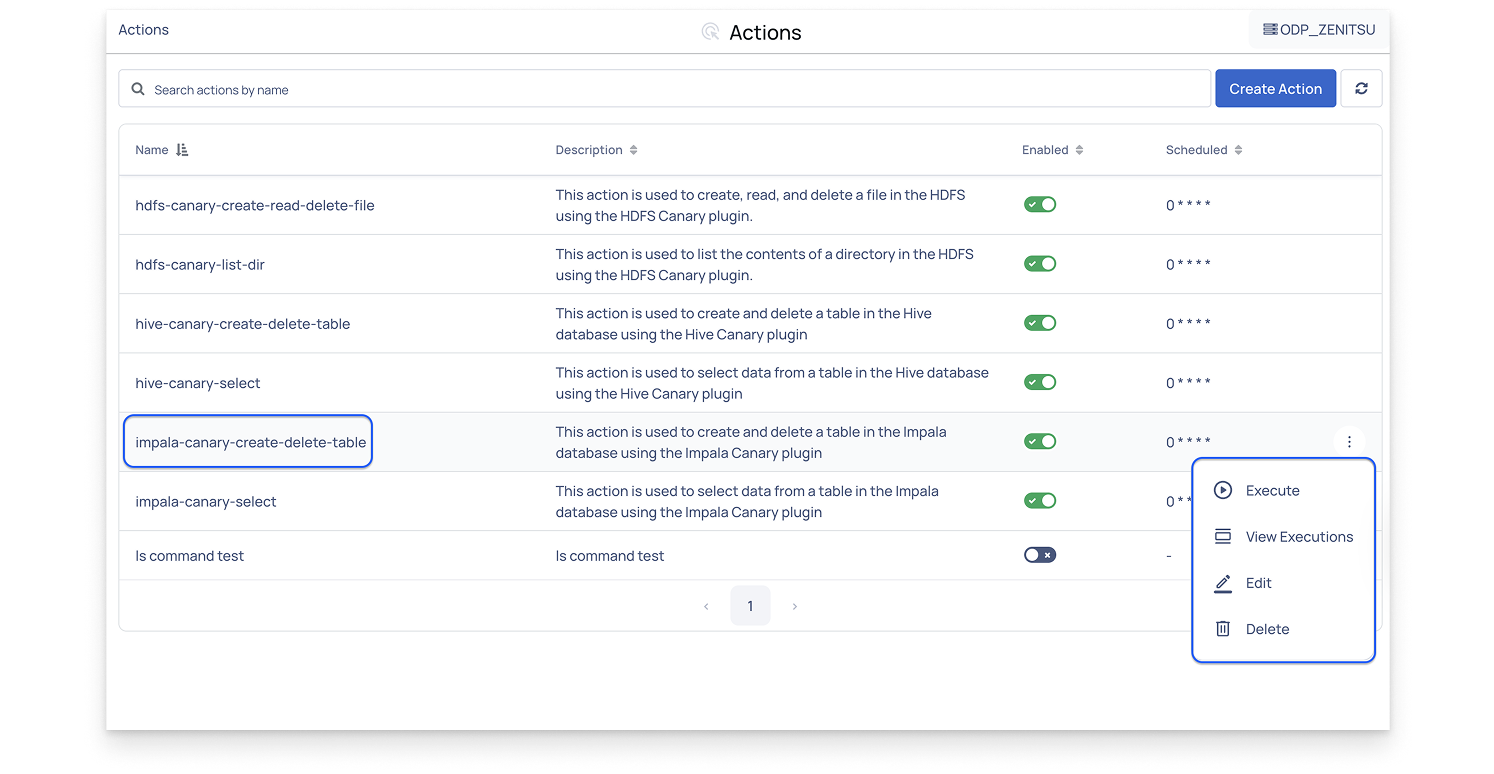
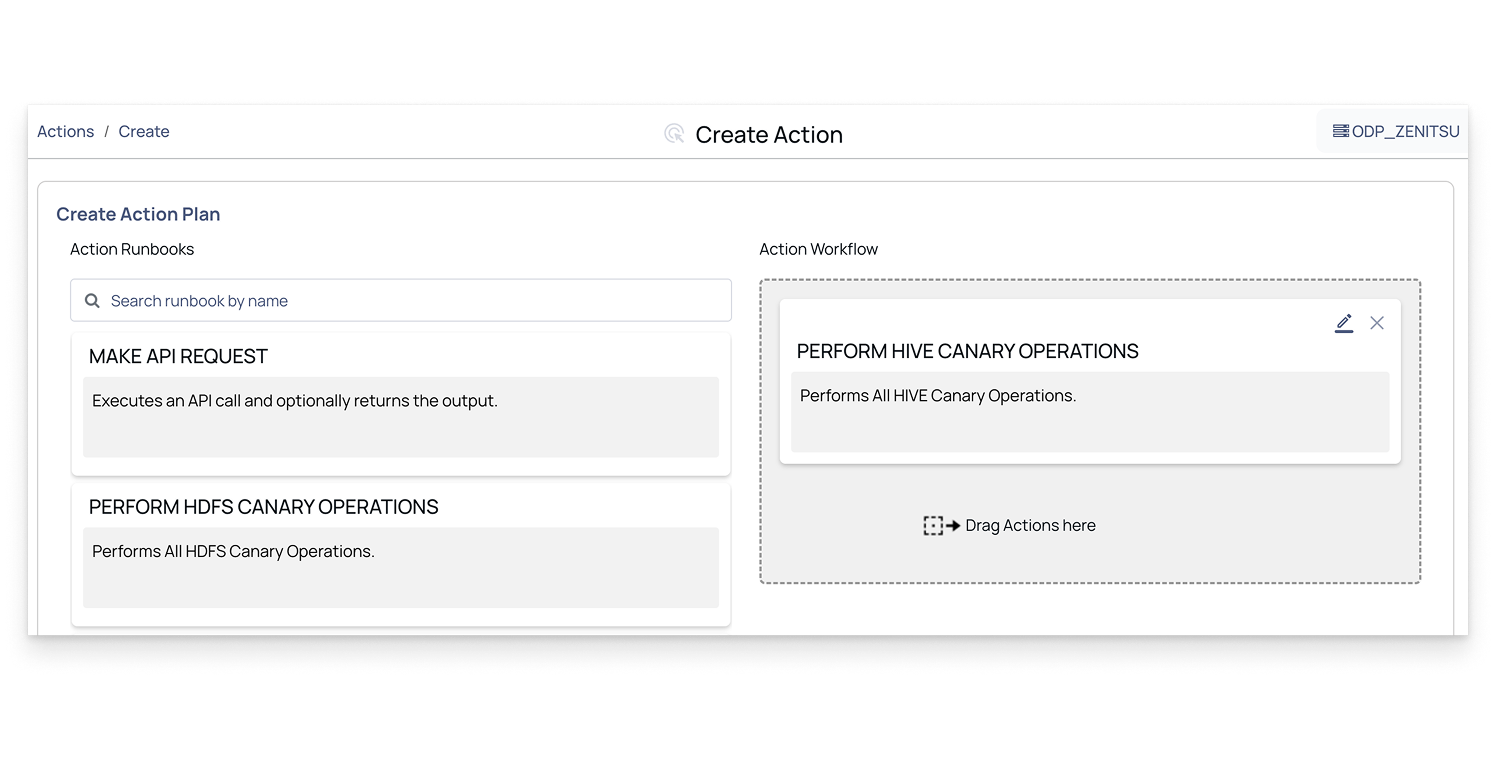
The Create Action Plan page opens, showing the Action Workflow.
In the Action Workflow, click the Edit icon for the following action to configure parameters as required.
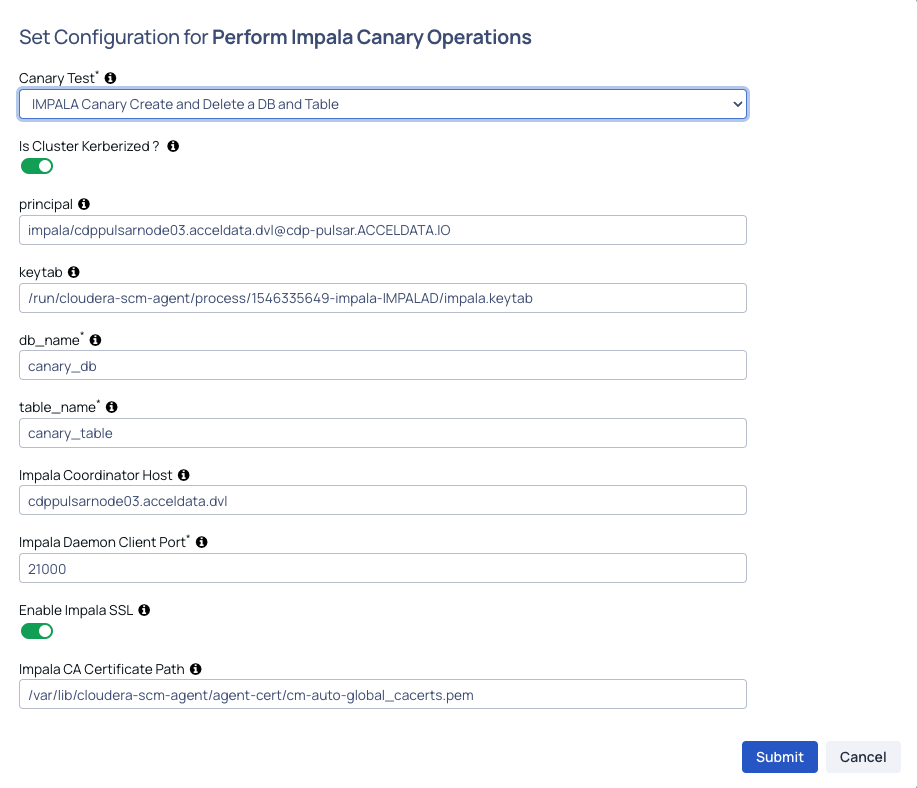
Perform Impala Canary Operations
The Impala Canary test is prefilled with the action impala_canary_create_delete.
db_name: Enter the database name. Ensure that the database already exists.
Is cluster kerberized: Enable this option if Kerberos authentication is enabled on the cluster.
Keytab: Provide the location of the Hive keytab file.
Principal: Enter the node where you want to run the canary test.
Table Name: Specify the table name that the canary should create and then delete.
Impala Coordinator Host: Hostname of the Impala coordinator node the canary connects to for running the test.
Impala Daemon Client Port: Port on which client requests are served by Impala Daemons (the default port 21050 is based on HiveServer2 Protocol).
Enable Impala SSL: Enable this to use TLS/SSL when connecting via
impala-shell.Impala CA Certificate Path: File path to the CA certificate used to verify the Impala server’s SSL certificate.
After configuring the action plan, see Finalize and Execute the Action Plan for the next step.
impala_canary_select
This action validates read operations on an Impala table.
Workload
Runs a read query on a specified table.
Metrics Collected
Query success/failure status.
Query execution time (end-to-end latency).
Steps to Configure
From the list of actions, select Impala_canary_select.
On the Create Action Plan page, edit the action runbooks in Action Flow.
Configure Perform Impala Canary Operations as shown in impala_canary_create_delete > Steps to Configure > Step 4 for the task impala canary select.
The only changes are as follows:
The Impala Canary test is prefilled with the action impala_canary_select.
After configuring the action plan, see Finalize and Execute the Action Plan for the next step.