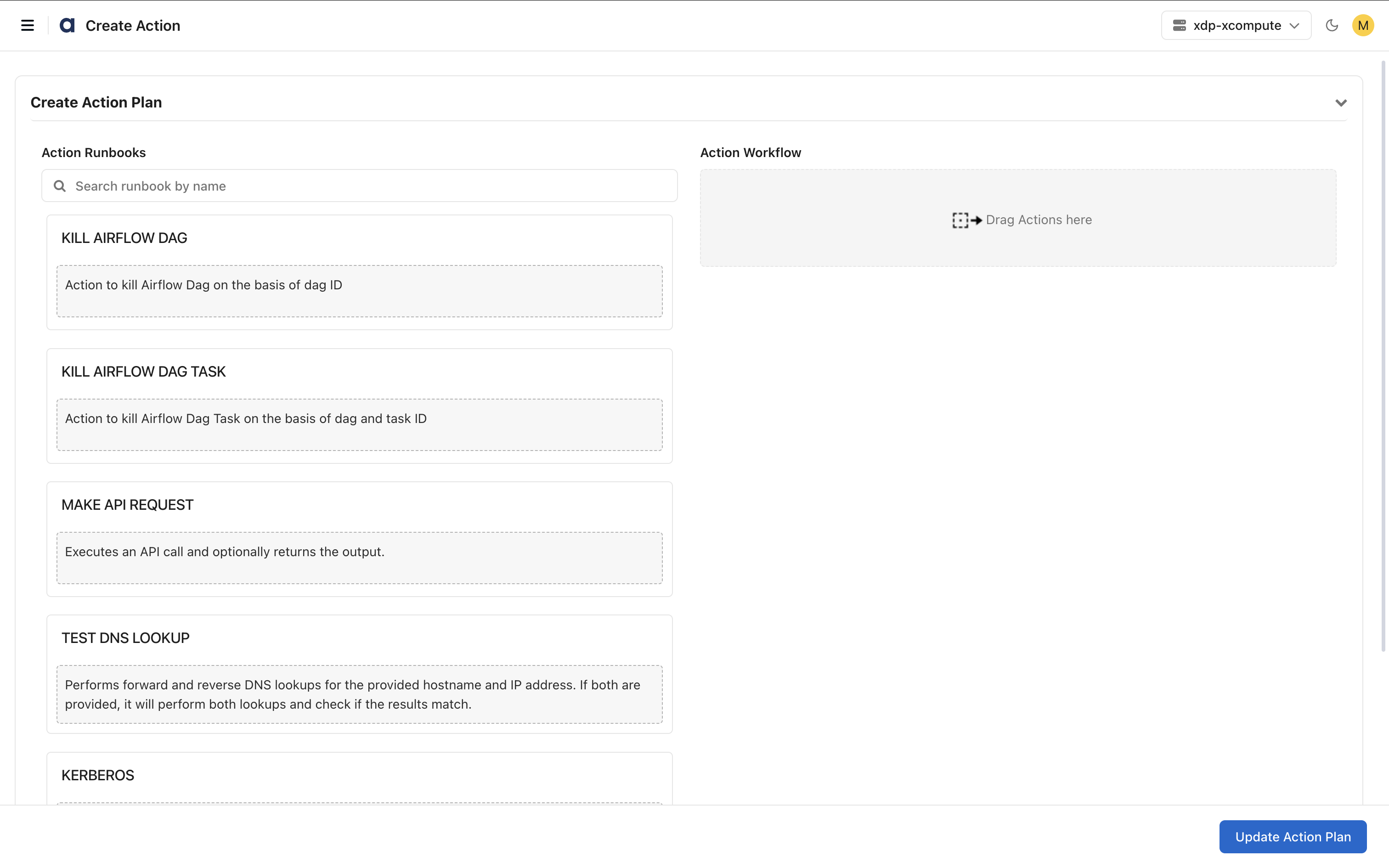
Create an action plan to automate operational tasks using one or more action runbooks.
An action plan defines a workflow that executes a sequence of runbooks to perform validation, troubleshooting, monitoring, and remediation tasks.
Steps
In the xObserve UI, navigate to Actions > Actions.
Click Create Action.
In the Action Runbooks pane, select a runbook.
Drag the runbook to the Action Workflow canvas.
Configure the runbook parameters. For details about the configuration, see below.
Add additional runbooks if required.
Configure notifications, scheduling, and timeout settings.
Click Save Action Plan.
Enter the action plan name and description.
Click Submit.
The action plan is created and displayed on the Actions page where it can be enabled, executed, edited, or deleted.
Configure Action Runbooks
Kerberos
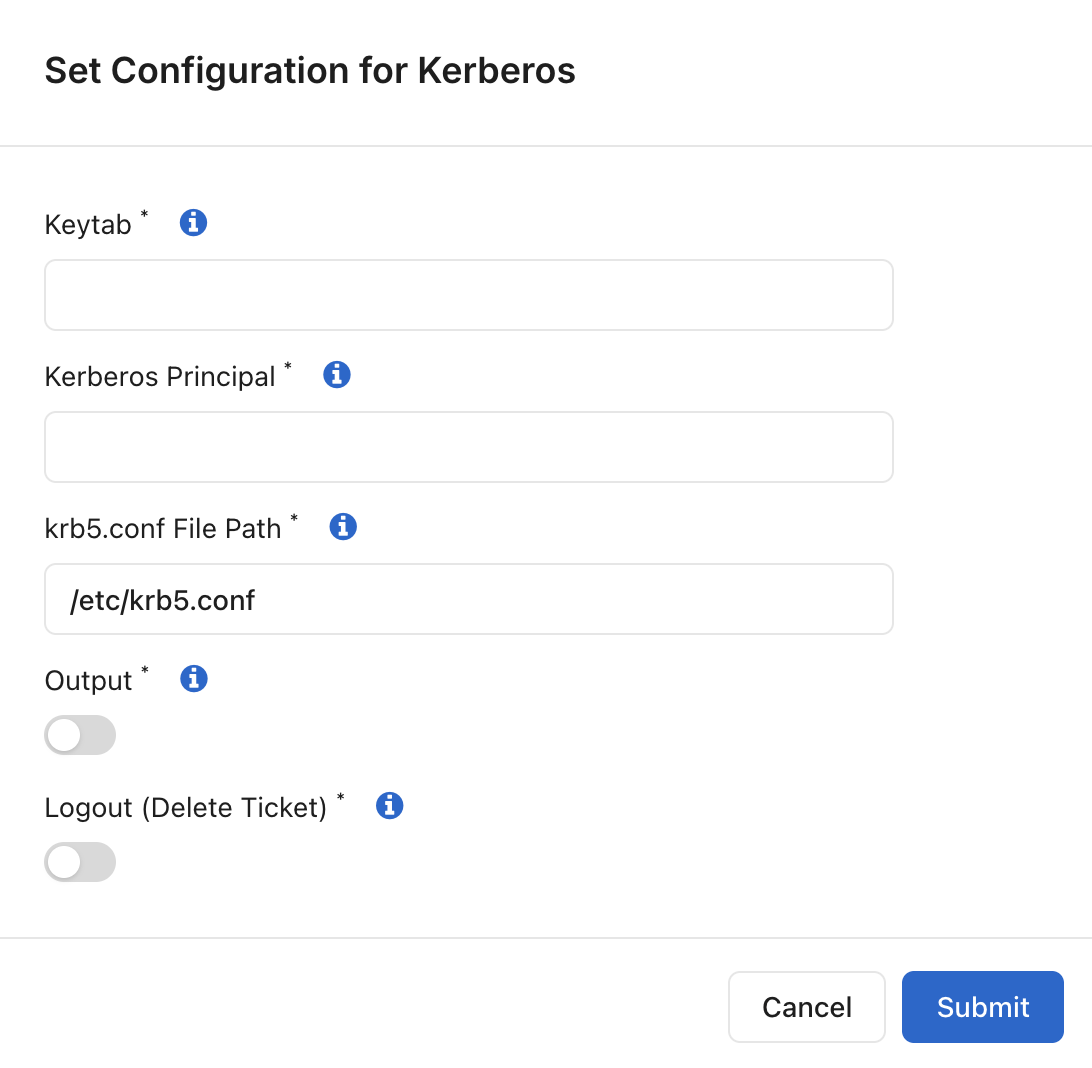
Use the Kerberos runbook to perform Kerberos authentication operations.
Configuration Options
Keytab File Path: Specifies the keytab file used for authentication.
Kerberos Principal: Specifies the Kerberos principal used for authentication.
krb5.conf File Path: Specifies the Kerberos configuration file.
Output: Captures and displays authentication output.
Logout (Delete Ticket): Deletes the Kerberos ticket after execution.
Use this runbook when subsequent workflow steps require Kerberos authentication.
Test Port
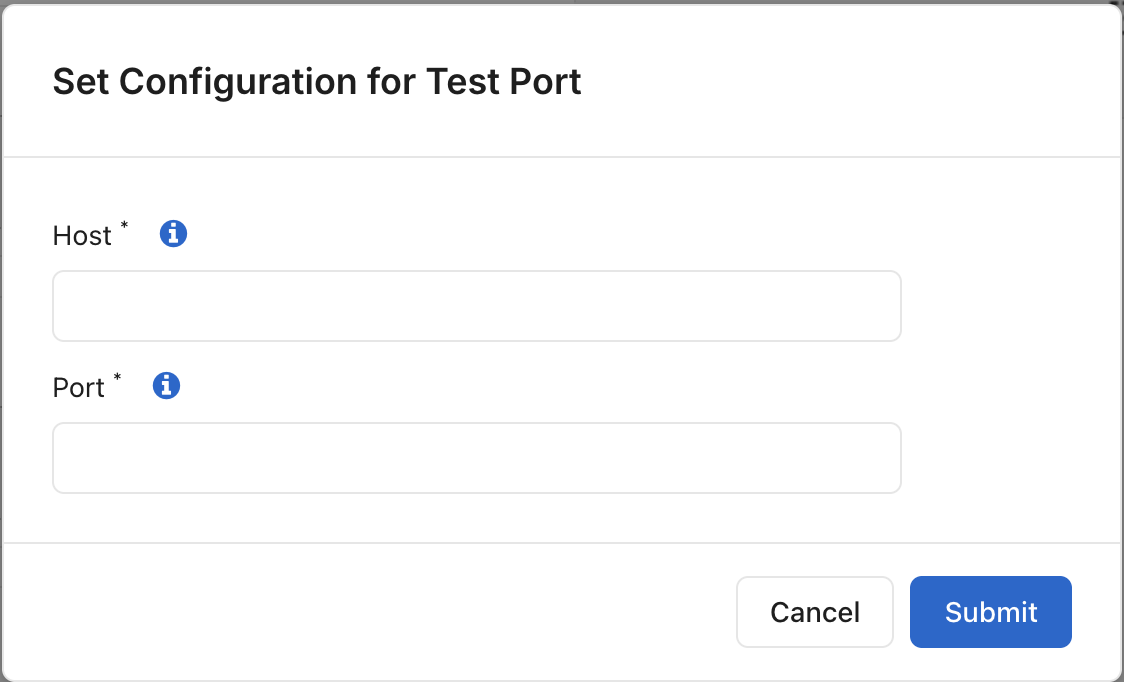
Use this runbook to verify connectivity to a host and port.
Configuration Options
Host Name/IP Address: Specifies the target host. Format: <FQDN/IP>
Port: Specifies the port number.
Use this runbook to validate network connectivity and service availability.
Run Script
Use this runbook to execute a script.
Configuration Options
Script File: Upload the script file.
Wait To Finish : Enable the toggle to wait for the script to finish running.
Output: Enable the toggle to write the output of the provided script to logs.
Use this runbook to automate operational tasks through custom scripts.
Kill Spark-K8S Job
Use this runbook to terminate a Spark application running on Kubernetes.
Configuration Options
Terminates Spark applications that have been running for an extended period.
Spark Job Execution Mode: Select the Spark execution mode for your application.
Client Mode: Select this option when the Spark driver runs inside the Kubernetes cluster.
Cluster Mode: Select this option when the Spark driver may run on either the Kubernetes cluster or a virtual machine (VM), and the executors run on the target cluster.
Query Value: Enter the Spark job identifier used to locate the application to be terminated.
Client Mode: Enter the Spark application POD name.
Cluster Mode: Enter the PID of the Spark application
Namespace: Specify the Spark namespace.
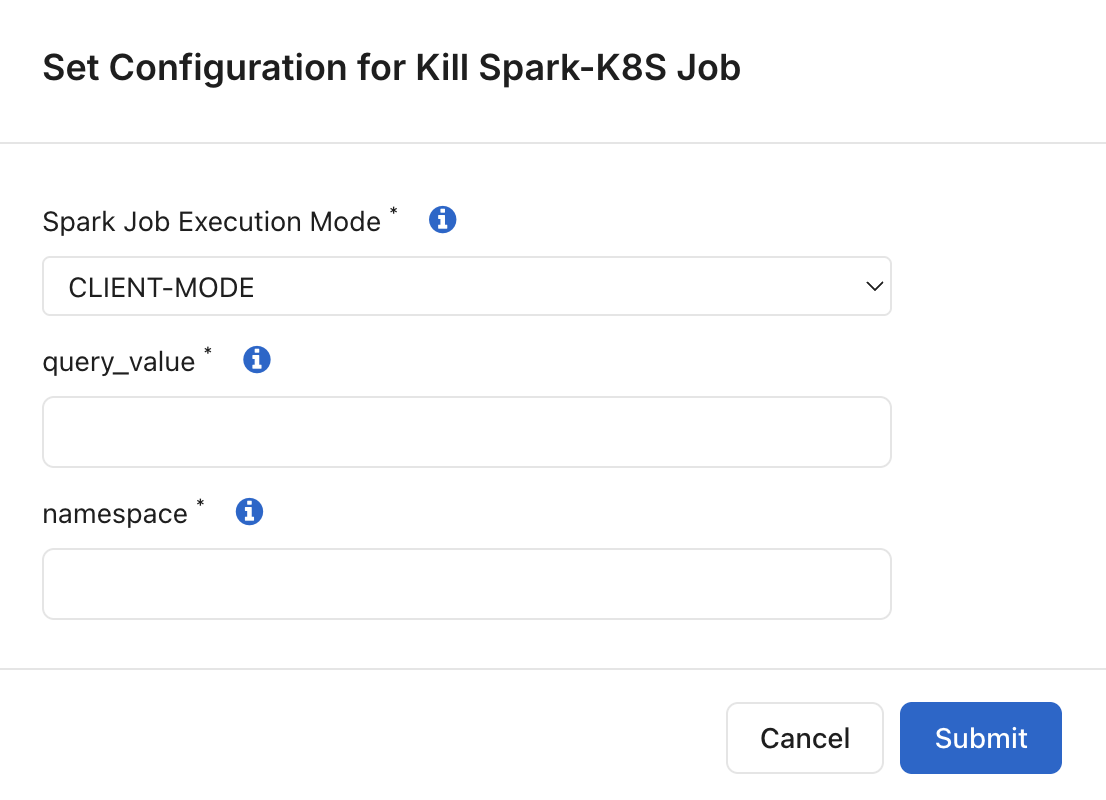
Note: Choose the execution mode that matches your Spark environment configuration.
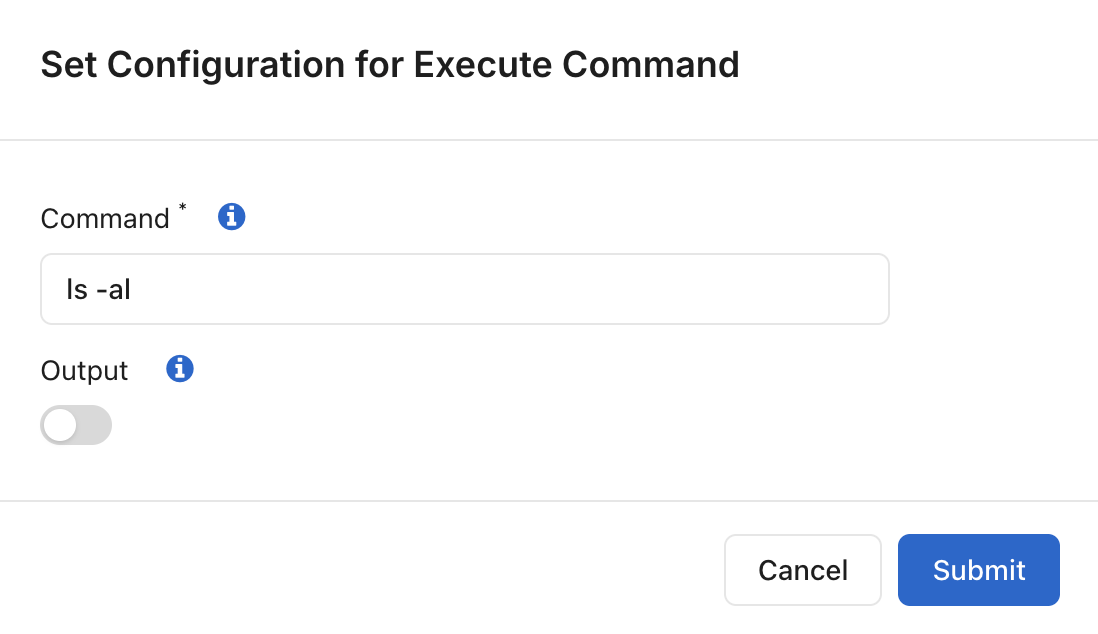
Execute Command
Use this runbook to execute operating system commands.
Configuration Options
Command: Specifies the command to execute. By default, the command ls -al is executed.
Output: Enable the toggle to collect command output in logs.
Use this runbook for validation, diagnostics, and troubleshooting activities.
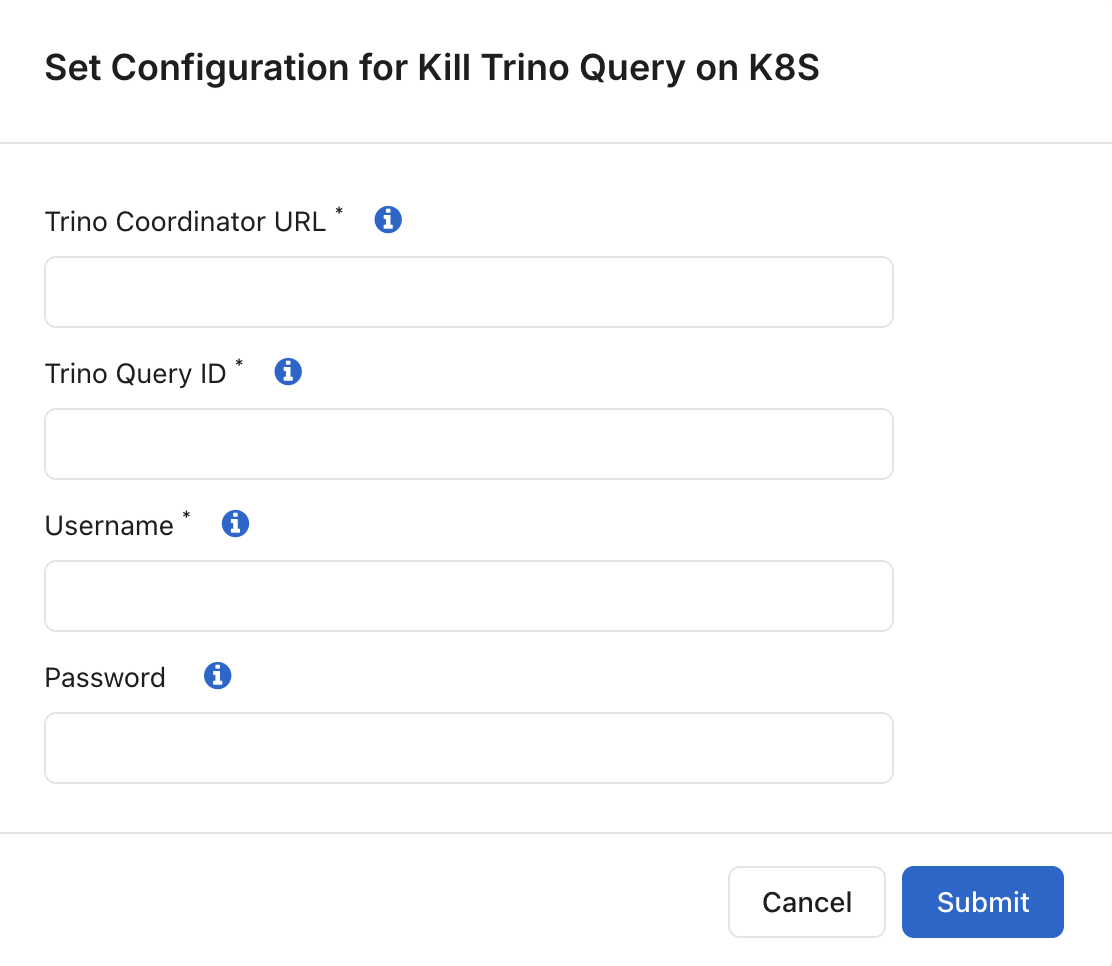
Kill Trino Query on K8s
Terminates a Trino query that has been running for an extended period.
Trino Coordinator URL: Enter the Trino Coordinator URL for your cluster.
Example:
http[s]://<Coordinator>
Trino Query ID: Enter the Trino query ID.
Example:
20250912123456_00001_abcd1
Username: Enter the Trino username associated with the query.
Password: Enter the Trino user password for authentication.
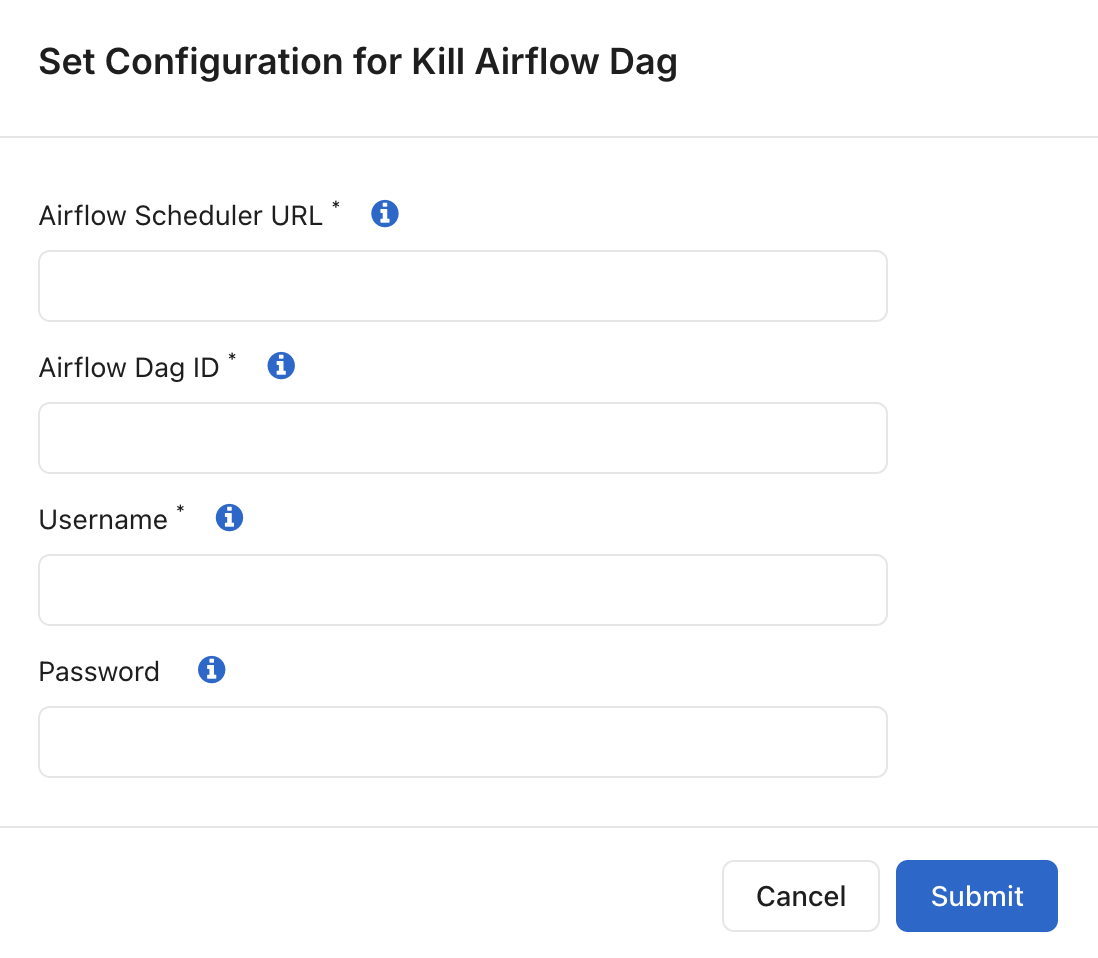
Kill Airflow DAG
Use this runbook to terminate a running Airflow DAG execution.
Configuration Options
Airflow Scheduler URL: Enter the Airflow Scheduler URL for your cluster. Example:
http[s]://<Scheduler>Airflow DAG ID: Enter the Airflow DAG ID of the DAG you want to terminate.
Username: Enter the Airflow user account used for authentication.
Password: Enter the password associated with the Airflow user account.
Use this runbook to stop a DAG execution that is no longer required, has encountered issues, or is consuming excessive resources.
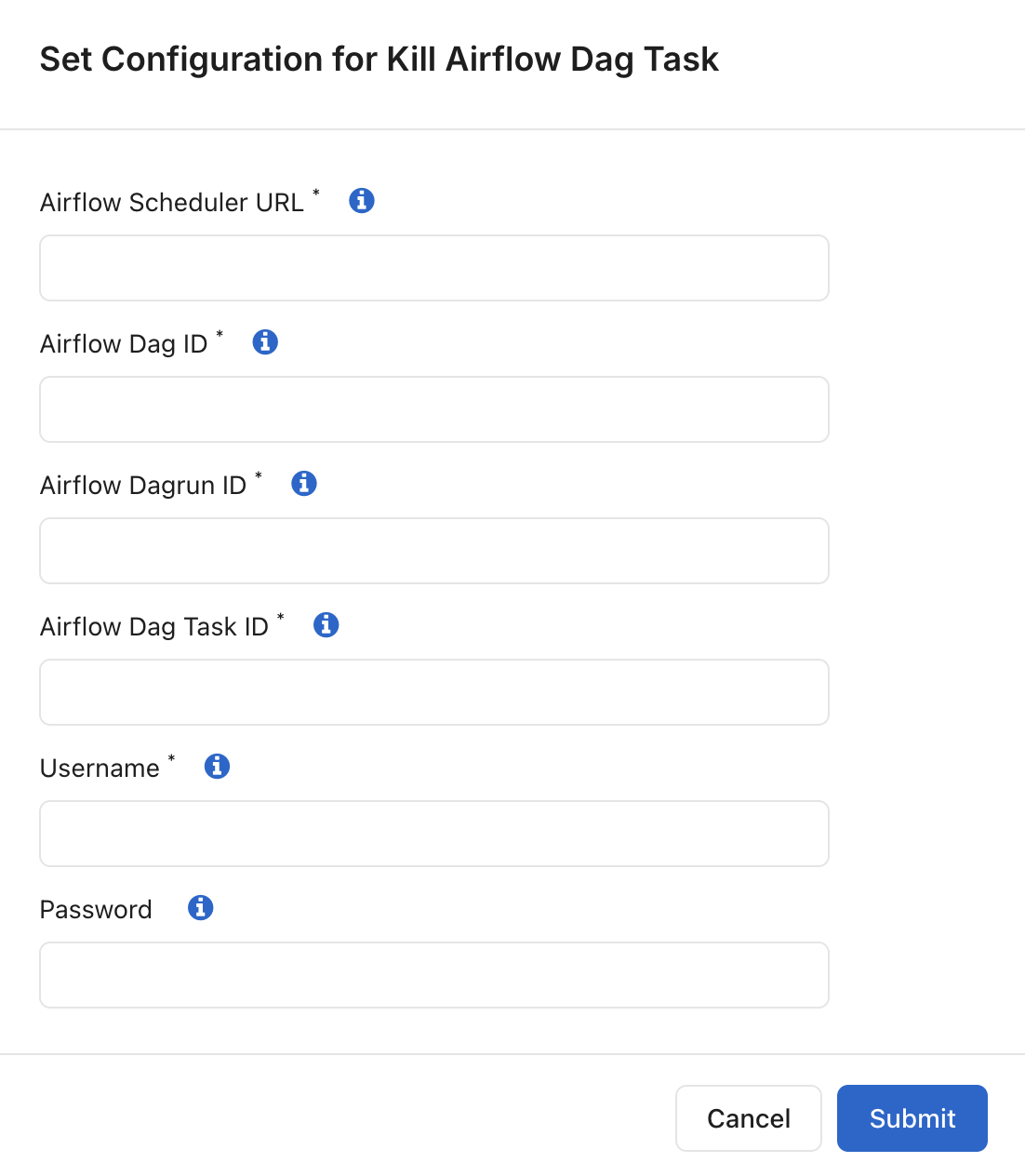
Kill Airflow DAG Task
Use this runbook to terminate a specific task within an Airflow DAG run.
Airflow Scheduler URL: Enter the Airflow Scheduler URL of your cluster. Example:
http[s]://<Scheduler>Airflow DAG ID: Enter the Airflow DAG ID. Example:
20250912_123456_00001_abcd1Airflow DAG Run ID: Enter the Airflow DAG run ID. Example:
20250912_123456_00001_abcd1Airflow DAG Task ID: Enter the Airflow DAG task ID. Example:
20250912_123456_00001_abcd1Username: Enter the Airflow user account used for authentication.
Password: Enter the password for the Airflow user account.
Use this runbook when you need to stop an individual task without terminating the entire DAG run.
Make API Request
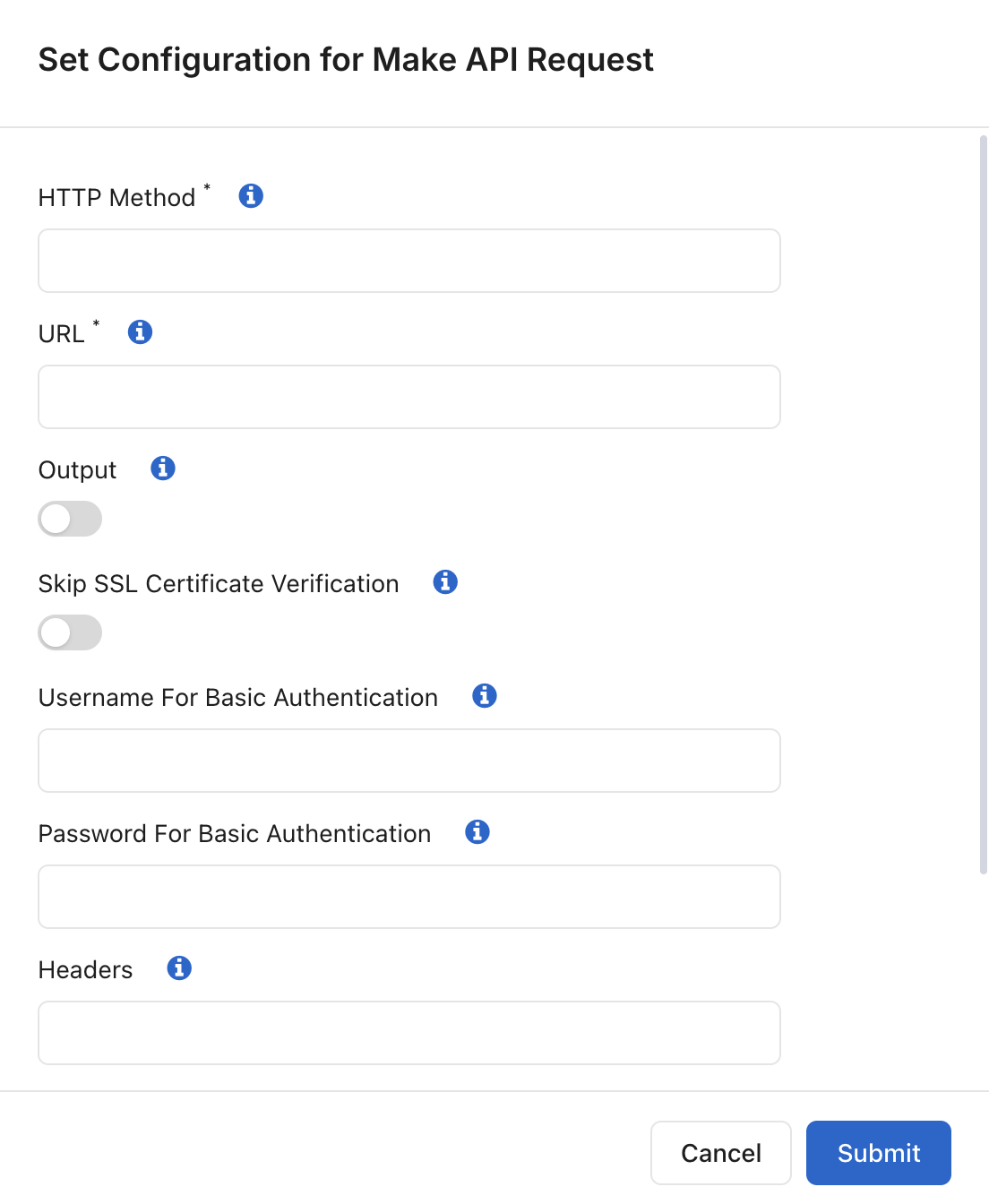
Use this runbook to execute HTTP API requests.
Configuration Options
Use this runbook to execute HTTP or HTTPS API requests and interact with external services from an action workflow.
Method: Select the HTTP method for the request. Supported values are:
GET, POST, PUT, PATCH, DELETE
HEAD, OPTIONS, TRACE, CONNECT
URL: Enter the HTTP or HTTPS endpoint URL in the following format:
(http|https)://host.domain[:port]/pathRequest Body: Enter the request payload to be sent with the API request.
Output: Enable this option to write the API response output to the execution logs.
Skip SSL Certificate Verification: Enable this option to bypass SSL certificate validation for HTTPS requests.
Username for Basic Authentication: Enter the username used for HTTP Basic Authentication, if required by the API.
Password for Basic Authentication: Enter the password used for HTTP Basic Authentication, if required by the API.
Headers: Specify one or more HTTP request headers to include with the API request.
Is Kerberized: Enable this option if the API endpoint requires Kerberos authentication.
Timeout (In Seconds): Specify the maximum time to wait for the API response before the request times out. The default value is 60 seconds.
Use this runbook to automate integrations with external systems, invoke REST APIs, trigger operational workflows, or retrieve information from third-party services.
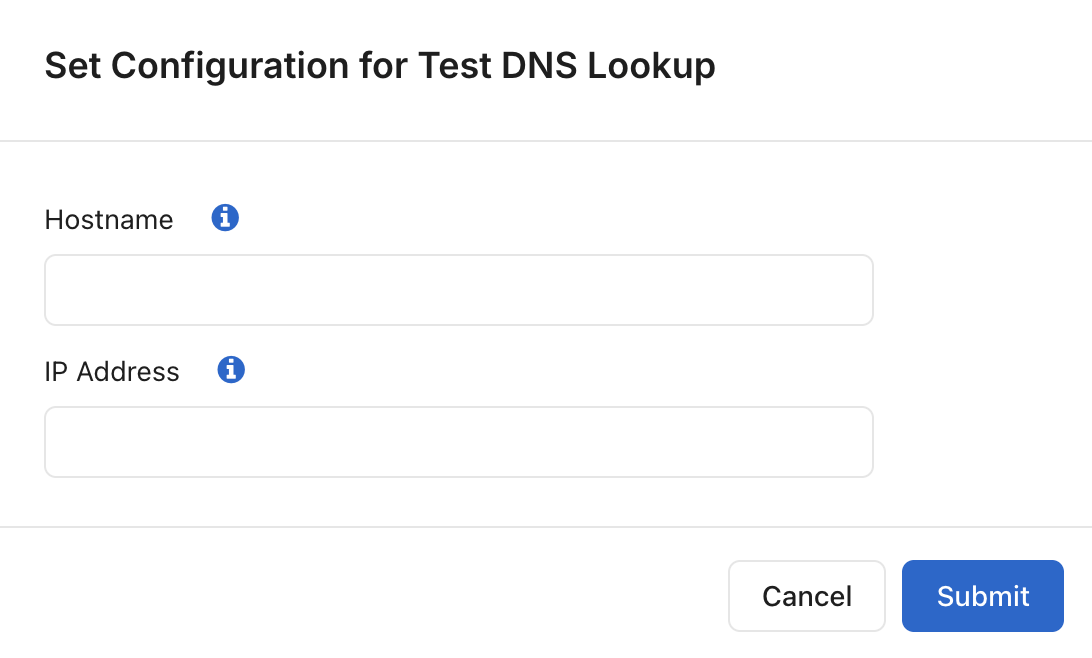
Test DNS Lookup
Use this runbook to validate DNS resolution by performing forward and reverse DNS lookups.
Configuration Options
Host Name: Enter the hostname to perform a forward DNS lookup. If a hostname is not provided, only a reverse lookup is performed.
IP Address: Enter the IP address to perform a reverse DNS lookup. If an IP address is not provided, only a forward lookup is performed.
Use this runbook to troubleshoot DNS-related connectivity issues, validate hostname resolution, and verify reverse DNS mappings.