
Apache Airflow is a workflow orchestration platform used to author, schedule, and monitor data pipelines. It enables organizations to automate complex workflows, manage dependencies, and track pipeline execution across distributed environments.
Airflow Observability with xObserve
Monitor Airflow applications deployed on your xCompute cluster through xObserve to:
Monitor DAG execution, task states, and workflow activity.
Track scheduler, triggerer, and executor health.
Analyze DAG performance, execution latency, and scheduling delays.
Monitor resource utilization and workload distribution.
Investigate task-level execution details and retry behavior.
Identify workflow bottlenecks, failures, and SLA risks.
Perform root cause analysis using DAG run timelines and execution trends.
Prerequisites
To enable Airflow observability:
Enable the xObserve Integration toggle for the Airflow application in the XDP UI.
You can enable this option:
During Airflow installation, or
By clicking Edit on an existing Airflow application.
Once enabled, Airflow metrics become available in xObserve.
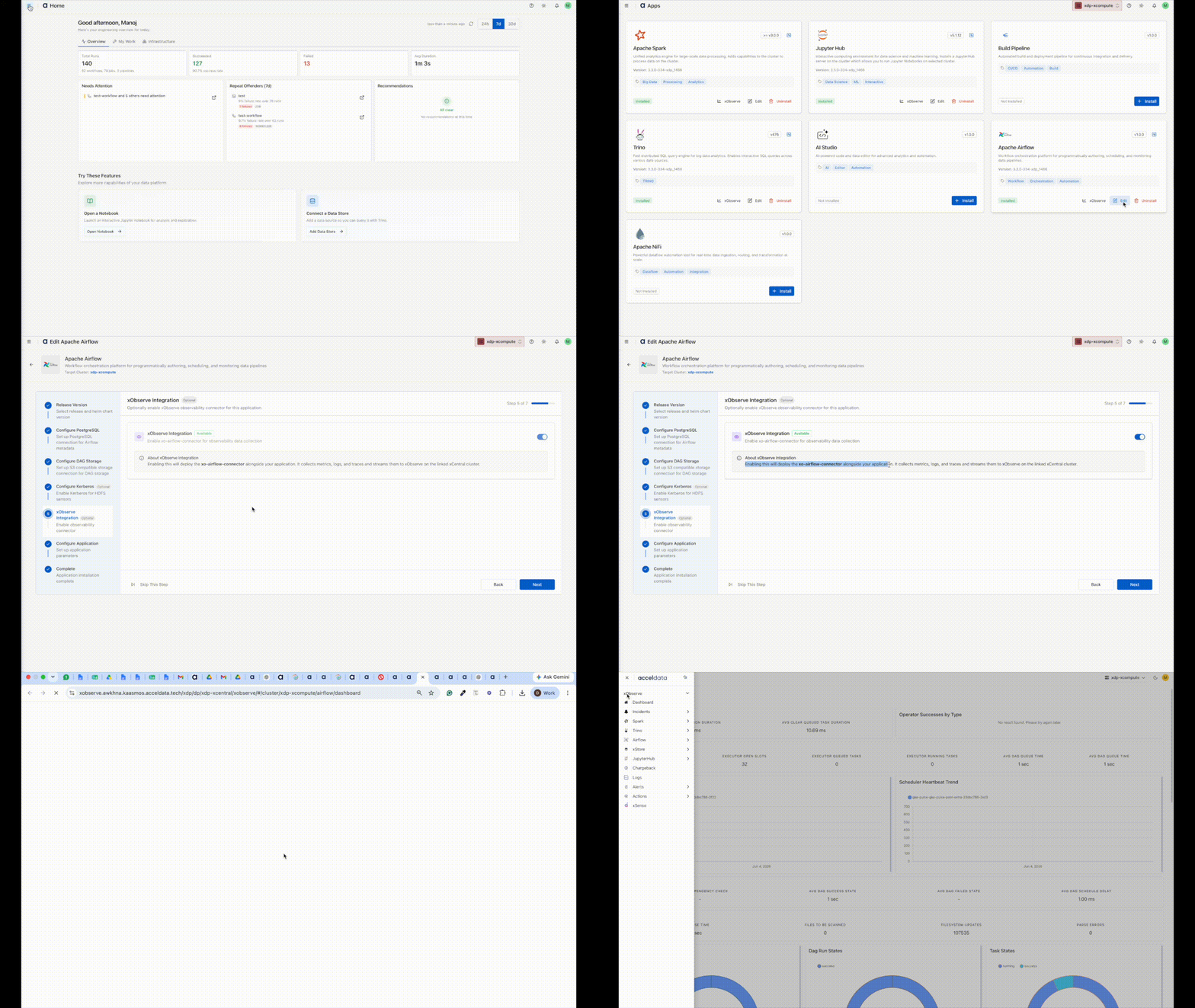
Navigation Steps
In the XDP UI, go to Infrastructure from the left navigation pane.
Select Apps.
On the Apps page, locate the Airflow application and click the xObserve icon.
The Airflow dashboard opens in xObserve, where you can view workflow metrics, scheduler health, and execution insights.