
Pulse enables you to create custom alerts directly from the UI or import predefined alert definitions using JSON files.
Steps to Create Custom Alerts
For details about creating custom alerts, see Creating Alerts.
For defining certain Kafka alert conditions and logic, see below.
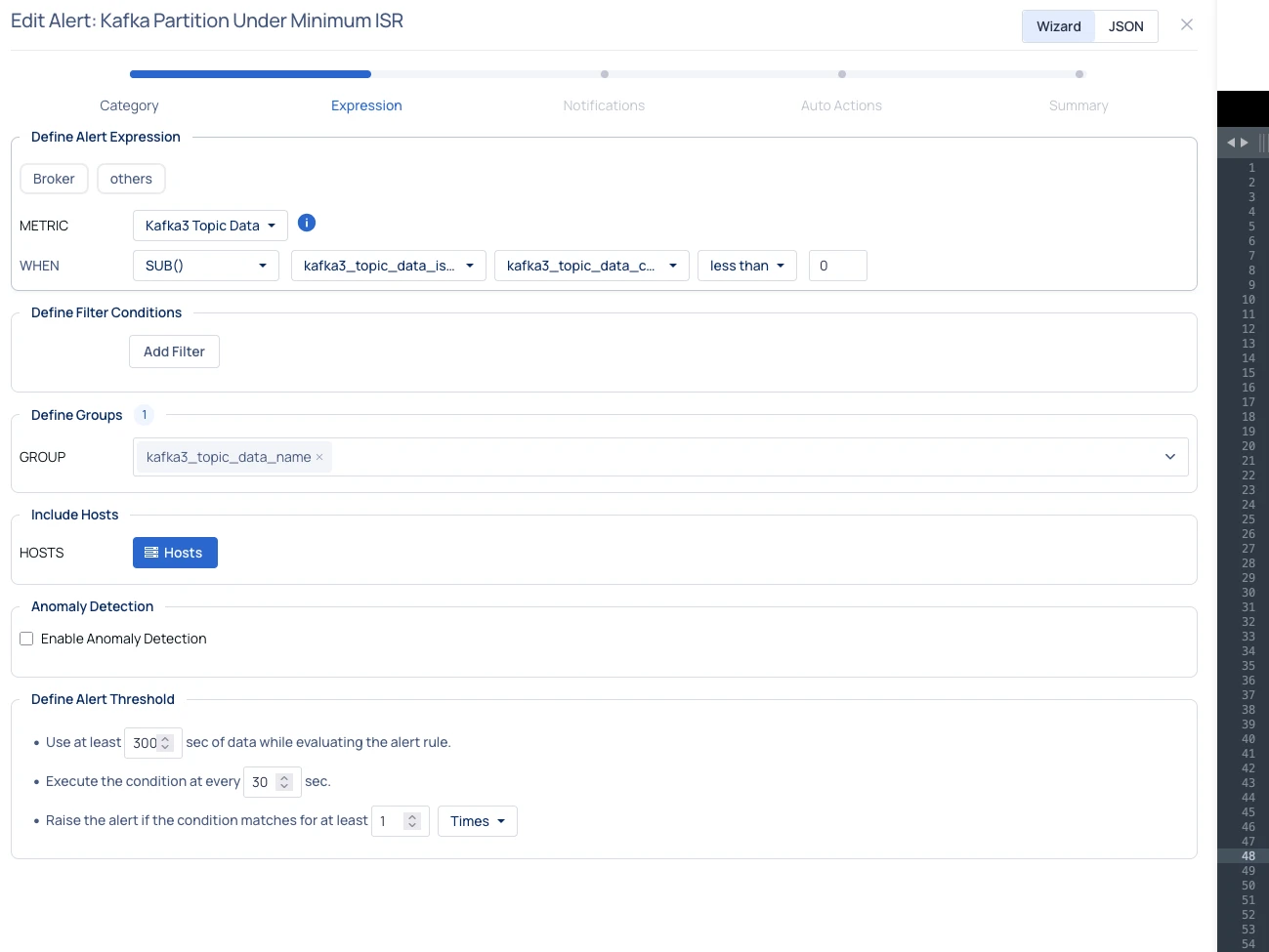
Kafka Partition Under Minimum ISR
This alert monitors partitions whose in-sync replica (ISR) count falls below the topic’s configured min.insync.replicas.
When this happens, partitions become read-only, which can cause producer write failures and impact production workloads.
This condition can occur when:
A broker goes down
Replicas fall behind and cannot catch up
Failover is not functioning correctly
Example Alert logic:
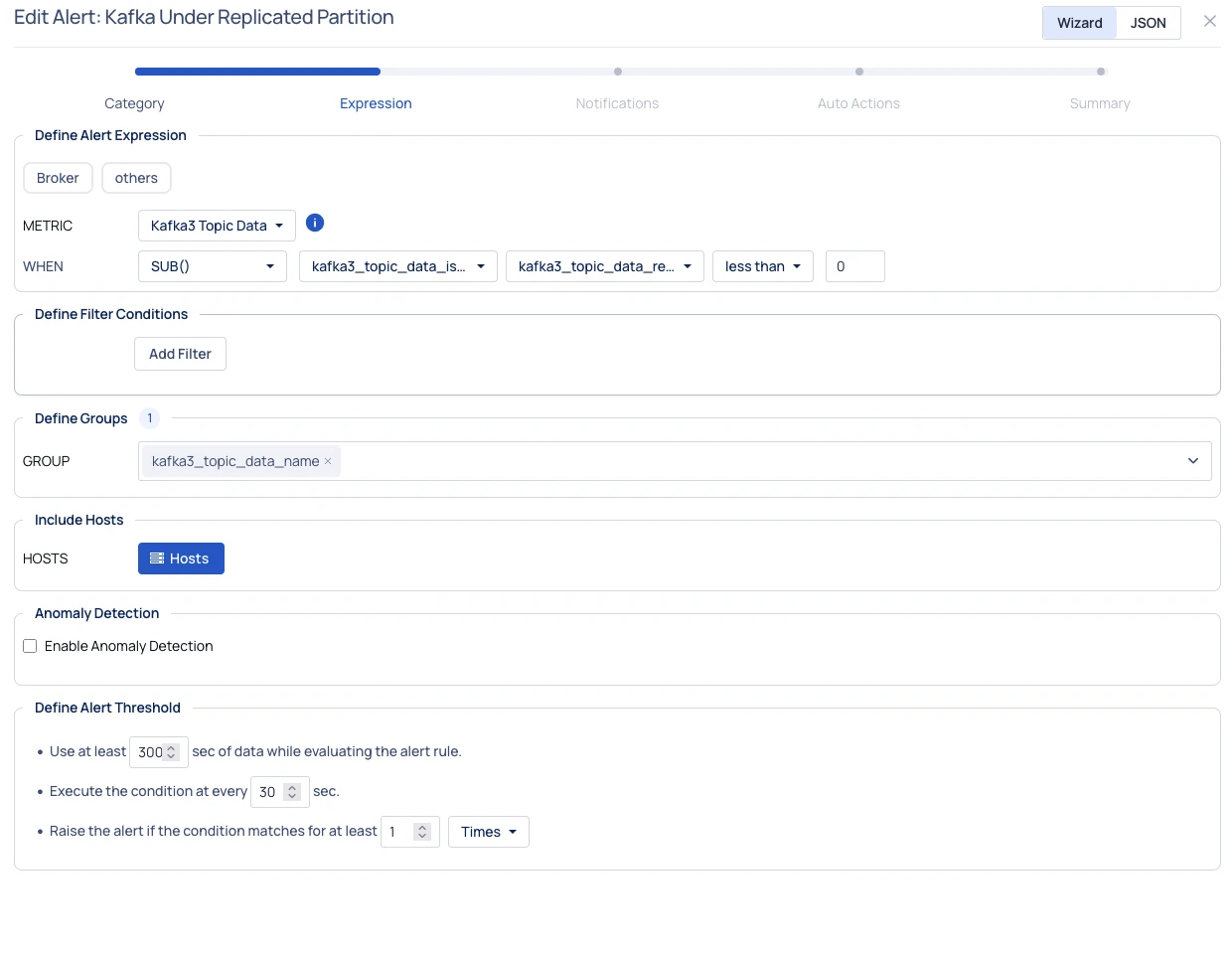
Kafka Under-Replicated Partitions
This alert captures partitions where the replication factor is not fully met, meaning some replicas are offline or lagging.
It helps detect cluster stress, broker failures, or network issues.
Example Alert logic:
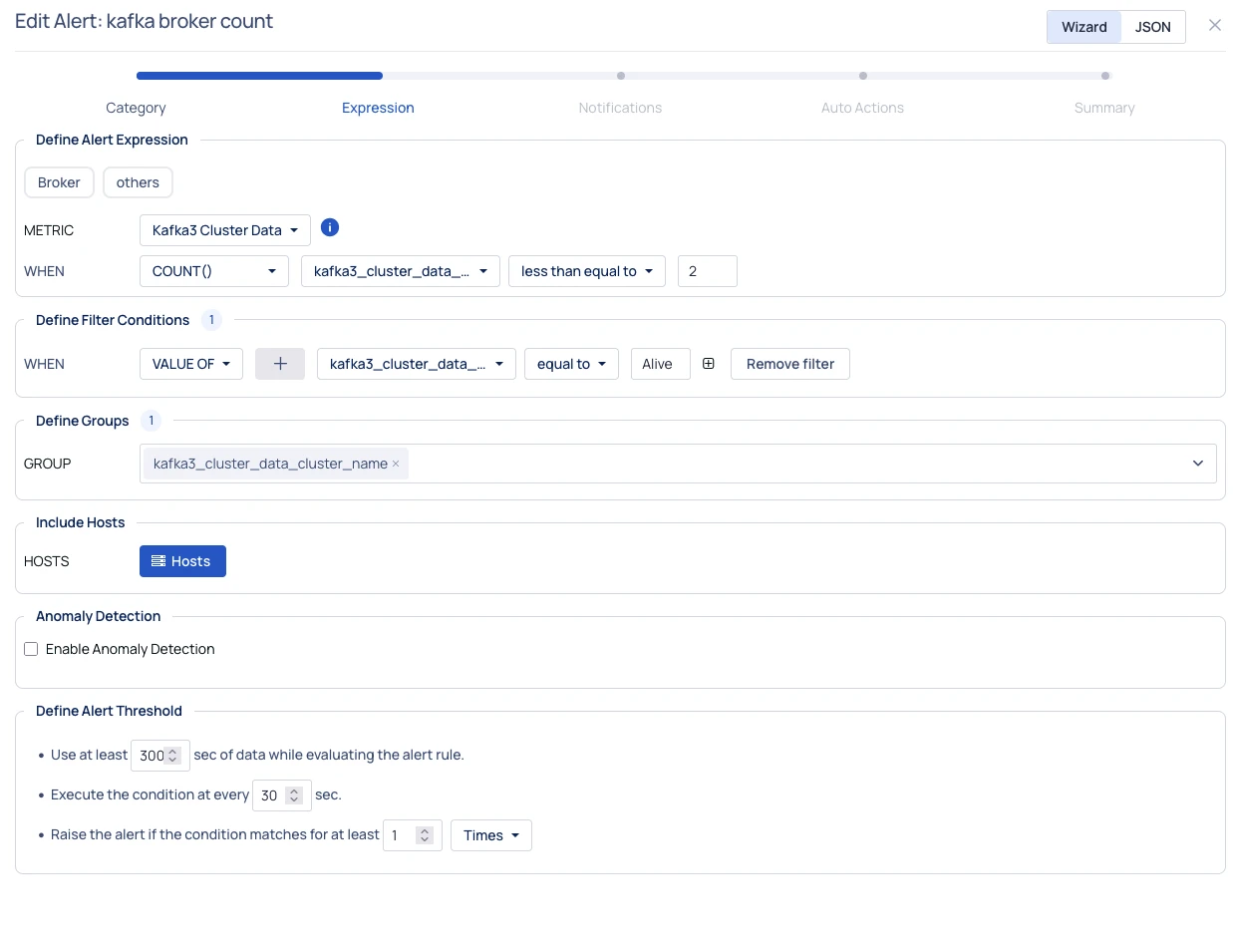
Low Kafka Broker Count (Too Many Broker Failures)
This alert monitors the number of online brokers.
If the number of alive brokers drops below a safe threshold, the cluster may not be able to maintain min.insync.replicas, increasing the risk of producer timeouts and message delivery failures.
Example Alert logic:
You can create these alerts manually from the Pulse UI or import the corresponding JSON file to apply the predefined configuration.