
Edit an Alert
Edit an alert to update its configuration, thresholds, severity, notification settings, or other properties.
To edit an alert
Go to Alerts.
Locate the alert you want to modify.
Click the alert name to open the alert configuration wizard.
Update the required settings, such as:
Alert expression
- Evaluation thresholds
- Notification channel groups
- Severity
- Description and help text
Click Save.
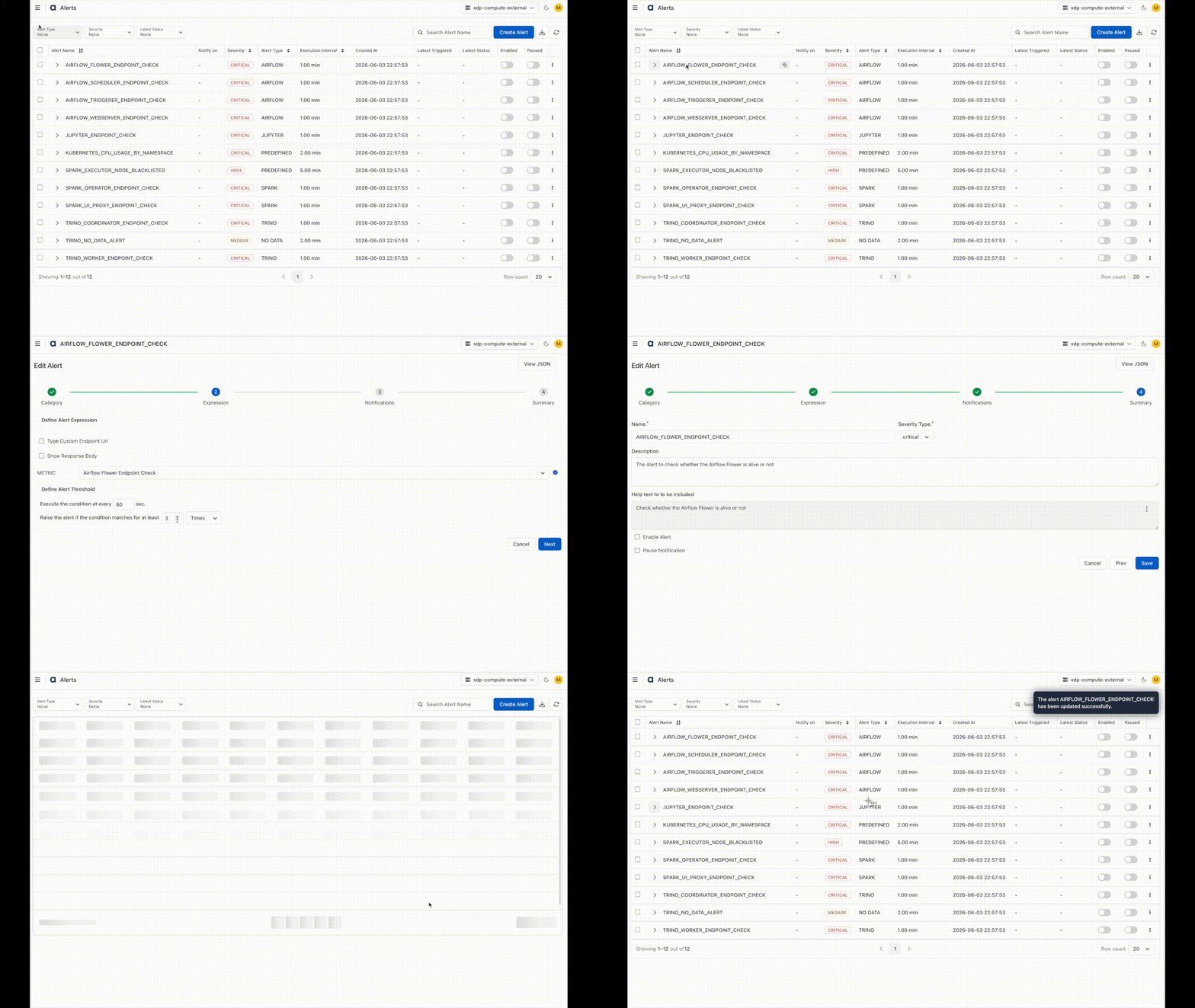
The updated configuration is applied immediately after the alert is saved.
Updating an alert automatically cancels any open incidents associated with the previous alert configuration.
Clone an Alert
Clone an alert to create a new alert using an existing alert configuration as a template.
To clone an alert
Go to Alerts.
Locate the alert you want to duplicate.
Click the Actions menu (⋮) next to the alert.
Select Clone.
In the Clone Alert wizard:
Enter a unique alert name.
- Modify any settings as required.
Click Save.
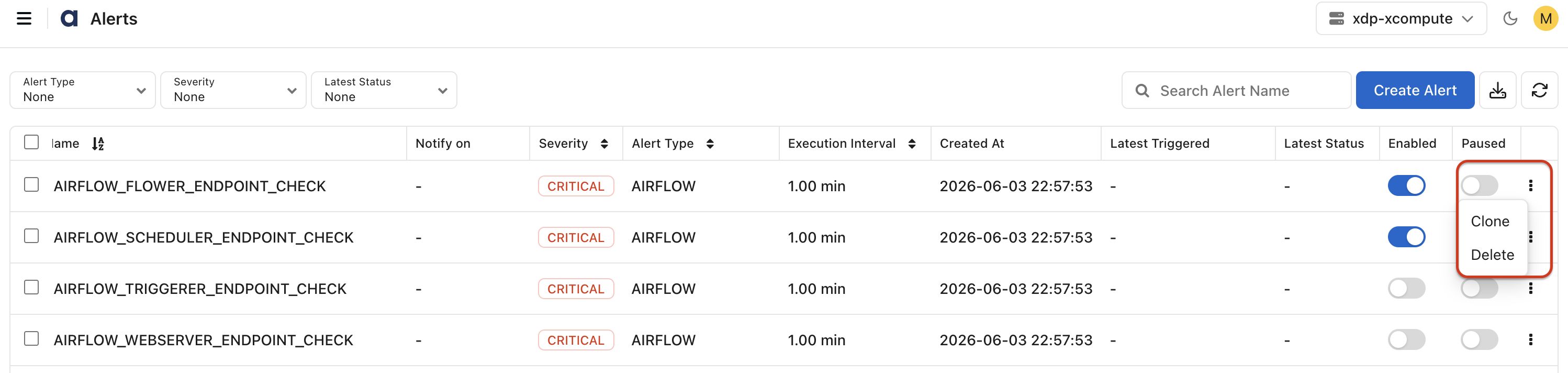
A new alert is created with the copied configuration while the original alert remains unchanged.
Cloning is useful when creating multiple alerts with similar conditions, thresholds, or notification settings.