
xDP Documentation
xDP
Get Started
Deployment Guide
Requirement Guide
xCentral - Platform Management
xStore Catalog and Metadata Management
xCompute - Compute Layer
xObserve - Observability Layer
Data Management
Applications
Orchestration
SQL (Trino)
Notebooks
Developer Guide
Migration Guide
Title
Message
Create new category
What is the title of your new category?
Edit page index title
What is the title of the page index?
Edit category
What is the new title of your category?
Edit link
What is the new title and URL of your link?
Pause Notifications
Summarize Page
Copy Markdown
Open in ChatGPT
Open in Claude
Connect to Cursor
Connect to VS Code
Pausing an alert suppresses notifications while continuing to evaluate alert conditions and record incidents.
Use pause functionality when:
- Performing planned maintenance
- Investigating known issues
- Avoiding unnecessary notifications during scheduled activities
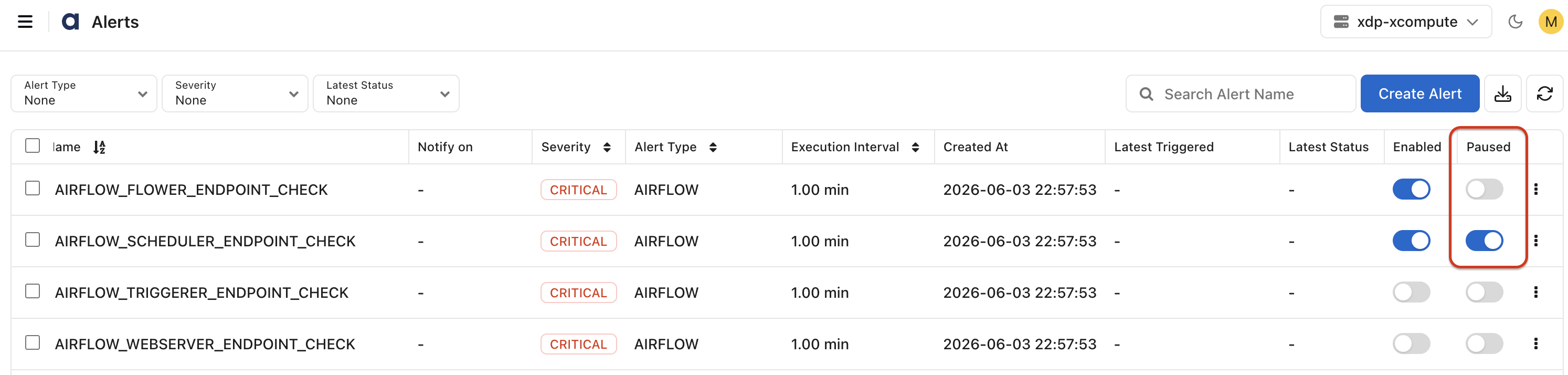
You can pause:
- Individual alerts
- Multiple alerts at once
Pause schedules can be configured using custom or predefined time windows.
VariableType to search · ESC to discard
GlossaryType to search · ESC to discard
InsertType to search · ESC to discard
No matches
Last updated on
Was this page helpful?
Next to read:
Maintenance WindowsFor additional help, contact our Support Team!
©2026, Acceldata Inc — All Rights Reserved.
Discard Changes
Do you want to discard your current changes and overwrite with the template?
Archive Synced Block
Message
Create new Template
What is this template's title?
Delete Template
Message