
xObserve includes built-in alerts that help you monitor common infrastructure and platform conditions without creating alerts from scratch. Built-in alerts are provided in two forms: Stock Alerts and Predefined Alerts.
These alerts accelerate deployment by providing ready-to-use monitoring for common operational scenarios.
Stock Alerts
Stock alerts are preconfigured alert definitions that are automatically available in supported environments.
Benefits
Provide out-of-the-box monitoring for common issues.
Reduce the effort required to create standard alerts.
Can be customized to meet environment-specific requirements.
Characteristics
Created and maintained by xObserve.
Can be enabled or disabled as needed.
Fully editable.
Can be cloned or deleted.
Behave like user-created alerts after they are enabled.
Common Use Cases
Stock alerts typically monitor:
Endpoint checks
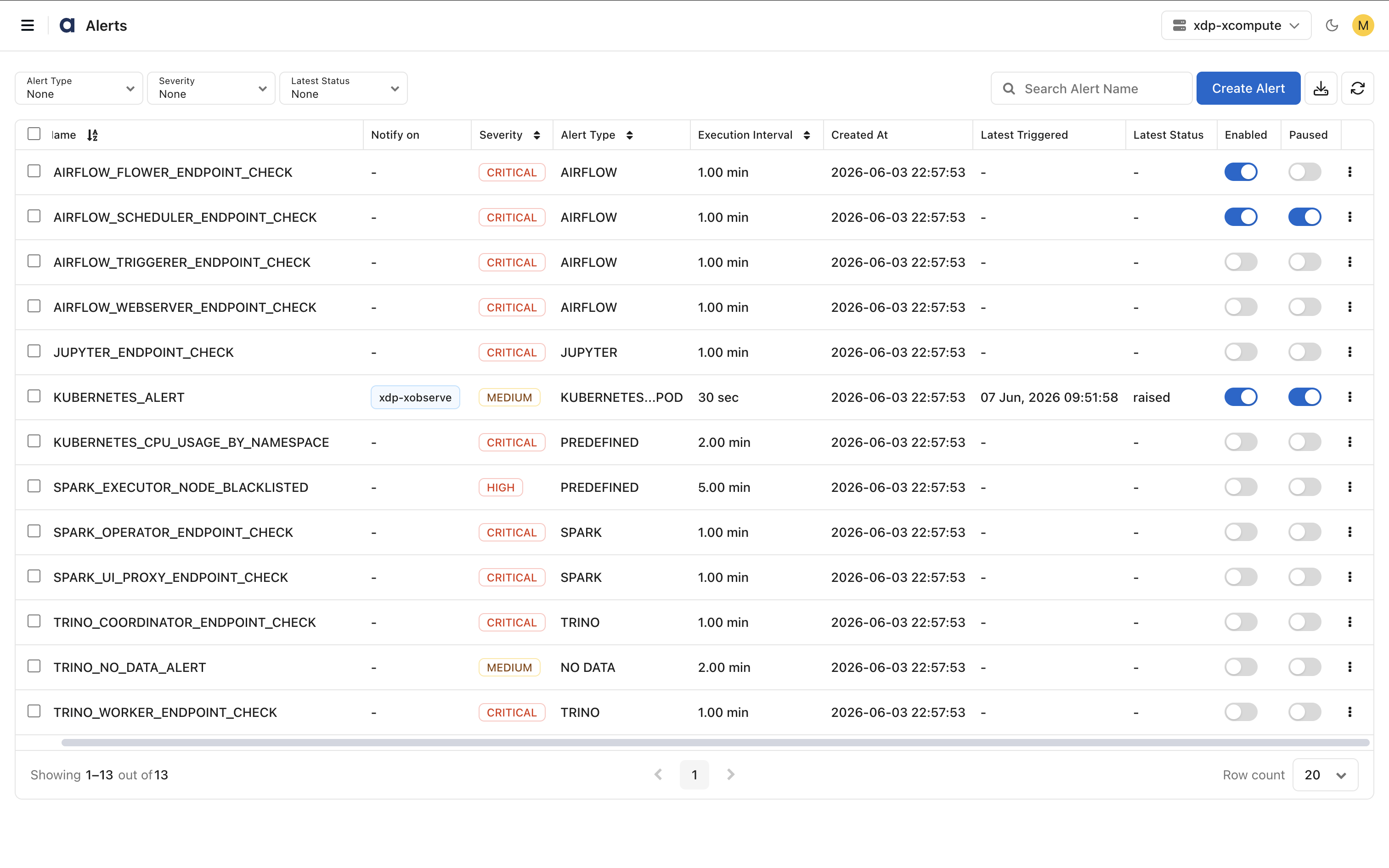
Manage Stock Alerts
Use the Alerts page filters to display only stock alerts. Review the available alerts and enable those that are relevant to your environment.
Predefined Alerts
Predefined alerts monitor complex conditions that require built-in monitoring logic.
Unlike standard alerts, the alert logic is provided by xObserve and cannot be recreated through the alert expression builder.
Benefits
Simplify monitoring of advanced operational scenarios.
Reduce configuration complexity.
Provide consistent monitoring for platform-specific conditions.
Characteristics
Created and maintained by xObserve.
Available as built-in alerts.
Cannot be created from the user interface.
Configured through predefined parameters or variables.
Support editing of configurable values without modifying the underlying logic.
Common Use Cases
Examples include:
Configure Predefined Alerts
You can modify supported configuration values, such as thresholds and durations, while the alert logic remains fixed.
Differences Between Custom, Stock, and Predefined Alerts
Feature | Custom Alerts | Stock Alerts | Predefined Alerts |
|---|---|---|---|
Created by | User | xObserve | xObserve |
Created from UI | Yes | No | No |
Editable | Yes | Yes | Limited |
Alert logic | User-defined | Expression-based | Built-in logic |
Supports custom conditions | Yes | Yes | No |
Can be cloned | Yes | Yes | Yes |
Can be enabled or disabled | Yes | Yes | Yes |
Best suited for | Environment-specific monitoring | Common operational monitoring | Advanced platform-specific monitoring |
When to Use Each Type
Use Custom Alerts when you need to monitor conditions unique to your environment.
Use Stock Alerts to quickly enable monitoring for common operational metrics.
Use Predefined Alerts when monitoring complex platform behaviors that require built-in logic and specialized processing.