
You can export alert definitions to a JSON file and import them into the same or another environment. This helps you:
Back up alert configurations.
Move alerts between environments, such as development and production.
Share alert configurations across teams.
Reuse standardized alert definitions.
Export Alerts
Export alerts to create a backup or share alert configurations.
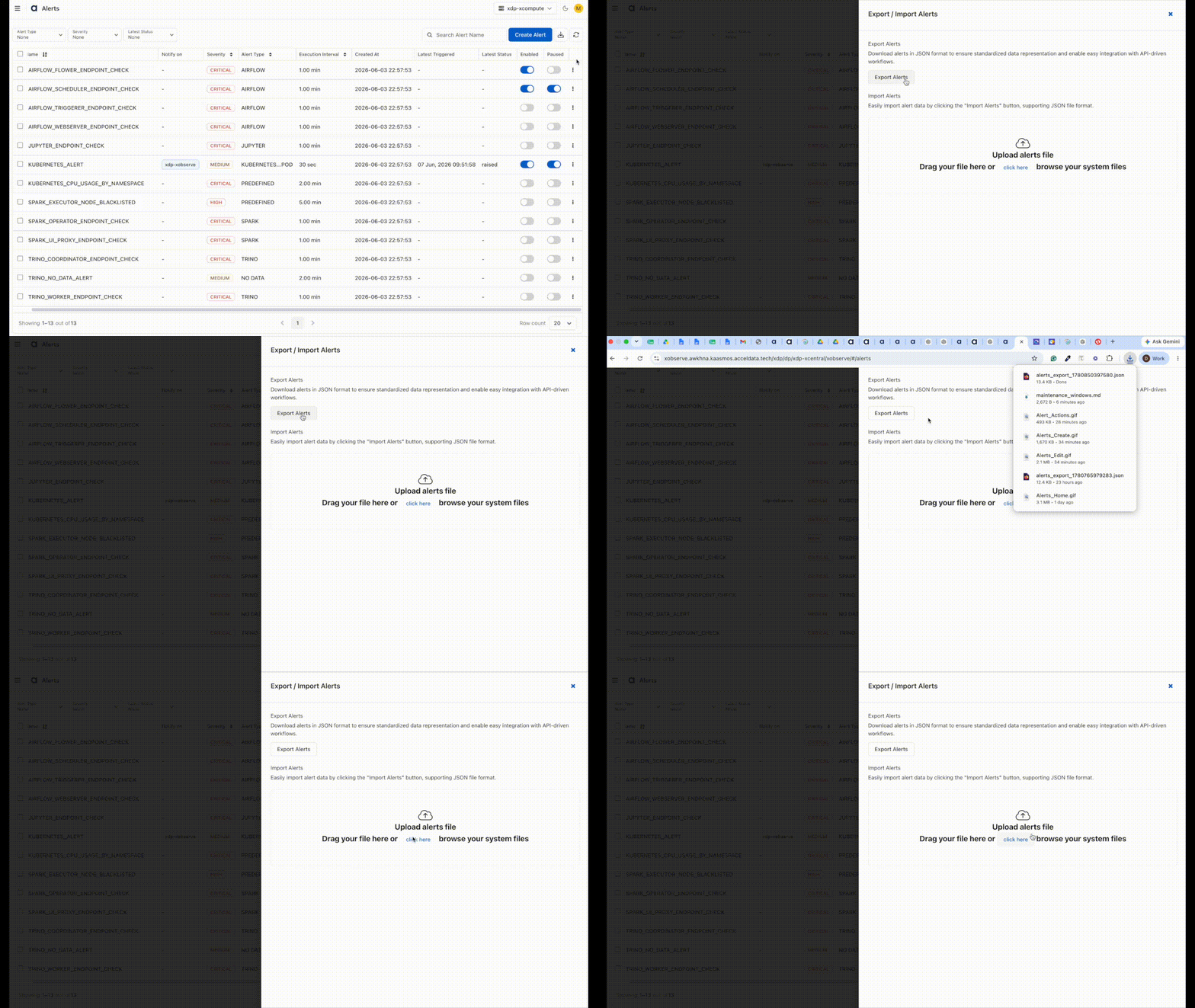
Go to Alerts.
Click Import/Export Alerts.
Select Export Alerts.
The system downloads all alert definitions as a JSON file.
Import Alerts
Import alert definitions from a previously exported JSON file.
Import alerts
Go to Alerts.
Click Import/Export Alerts.
Select Import Alerts.
Upload a JSON file containing alert definitions.
Click Import.
After the import completes, the imported alerts become available on the Alerts page.
Import Results
After an import operation, one of the following outcomes is displayed:
Success – All alerts are imported successfully.
Partial Success – Some alerts are imported, while others fail validation. Review the reported errors and update the source file if necessary.
Failed – The import operation cannot be completed because of an invalid file or other processing error.