
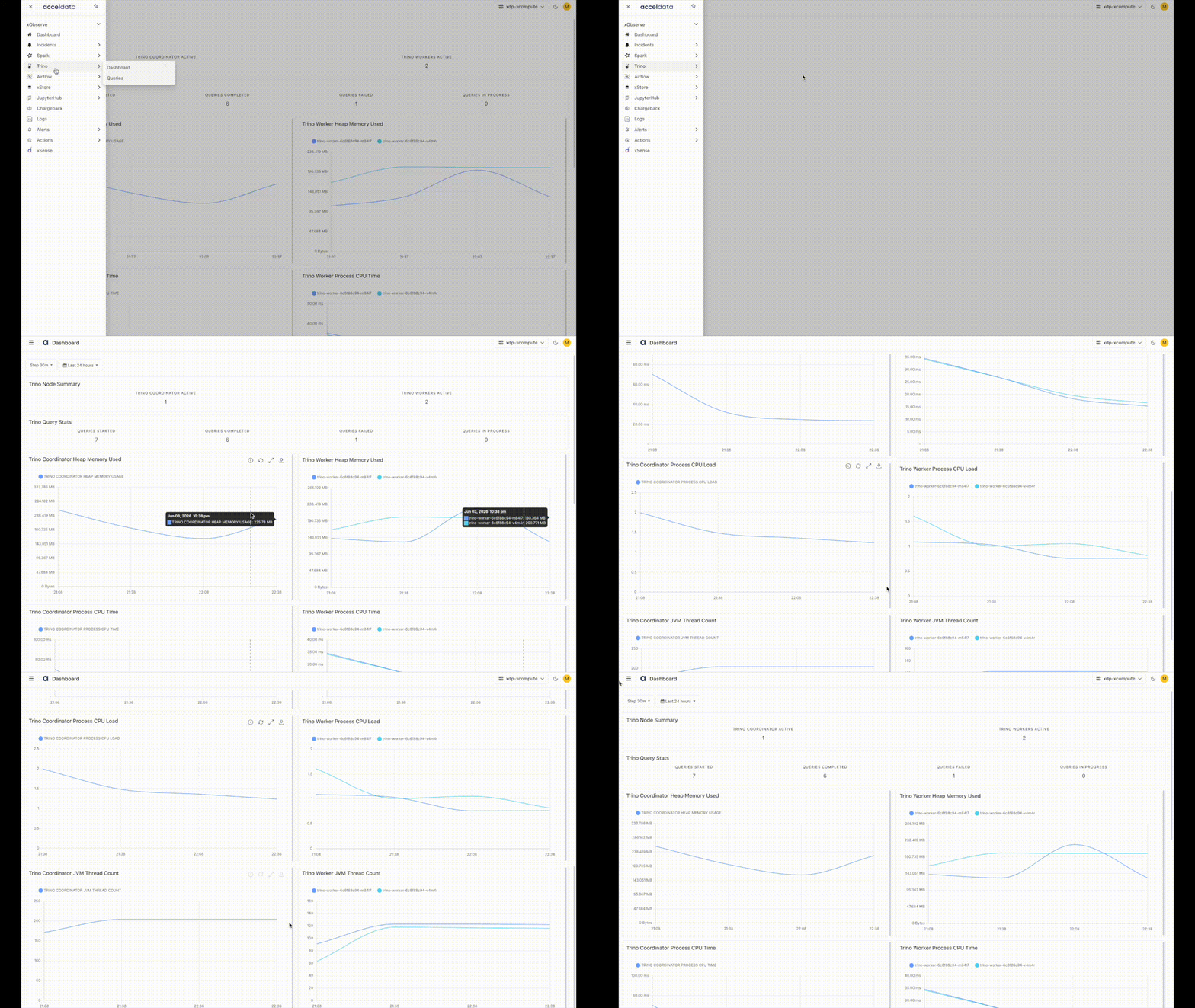
The Trino Dashboard page shows the following metrics in the form of dashboards and charts that monitor system health and query activity.
Key metrics include:
Node count for Coordinators and Workers
Query states (started, running, completed, failed)
JVM heap usage and active thread count
CPU time and load for Trino processes
These metrics help you track workload trends, detect performance bottlenecks, and ensure overall Trino cluster stability.
Navigation Steps
In the xObserve UI, navigate to Trino from the left navigation pane.
Select Trino > Dashboard.
Select the desired cluster from the cluster selector in the upper-right corner.
The Trino Dashboard opens, displaying cluster health, query activity, resource utilization, and performance metrics.
Summary Panel
Trino Node Summary: Shows the number of active Coordinators and Workers—helps verify node count and cluster composition.
Trino Query Stats: Summarizes the number of queries started, in-progress, completed, and failed—useful for real-time monitoring.
Charts
Memory Usage
Trino Coordinator Heap Memory Used – Amount of heap memory currently used by the Trino Coordinator JVM.
Trino Worker Heap Memory Used – Amount of heap memory currently used by the Trino Worker JVMs.
CPU Utilization
Trino Coordinator Process CPU Time – CPU time consumed by the Trino Coordinator JVM process.
Trino Worker Process CPU Time – CPU time consumed by the Trino Worker JVM processes.
Trino Coordinator Process CPU Load – CPU load percentage used by the Trino Coordinator JVM process.
Trino Worker Process CPU Load – CPU load percentage used by the Trino Worker JVM processes.
JVM Health
Trino Coordinator JVM Thread Count – Total number of active JVM threads on the Trino Coordinator.
Trino Worker JVM Thread Count – Total number of active JVM threads on the Trino Worker nodes.