
The Trino Queries page displays a detailed, real-time list of all queries executed on the Trino engine.
This helps you monitor query activity, track performance, identify slow or failed queries, and audit user behavior. You can filter and group queries using the search and grouping options.
Navigation Steps
In the xObserve UI, navigate to Trino from the left navigation pane.
Select Trino > Query.
Select the desired cluster from the cluster selector in the upper-right corner.
The Trino Query page opens, displaying all queries executed within the selected time range.
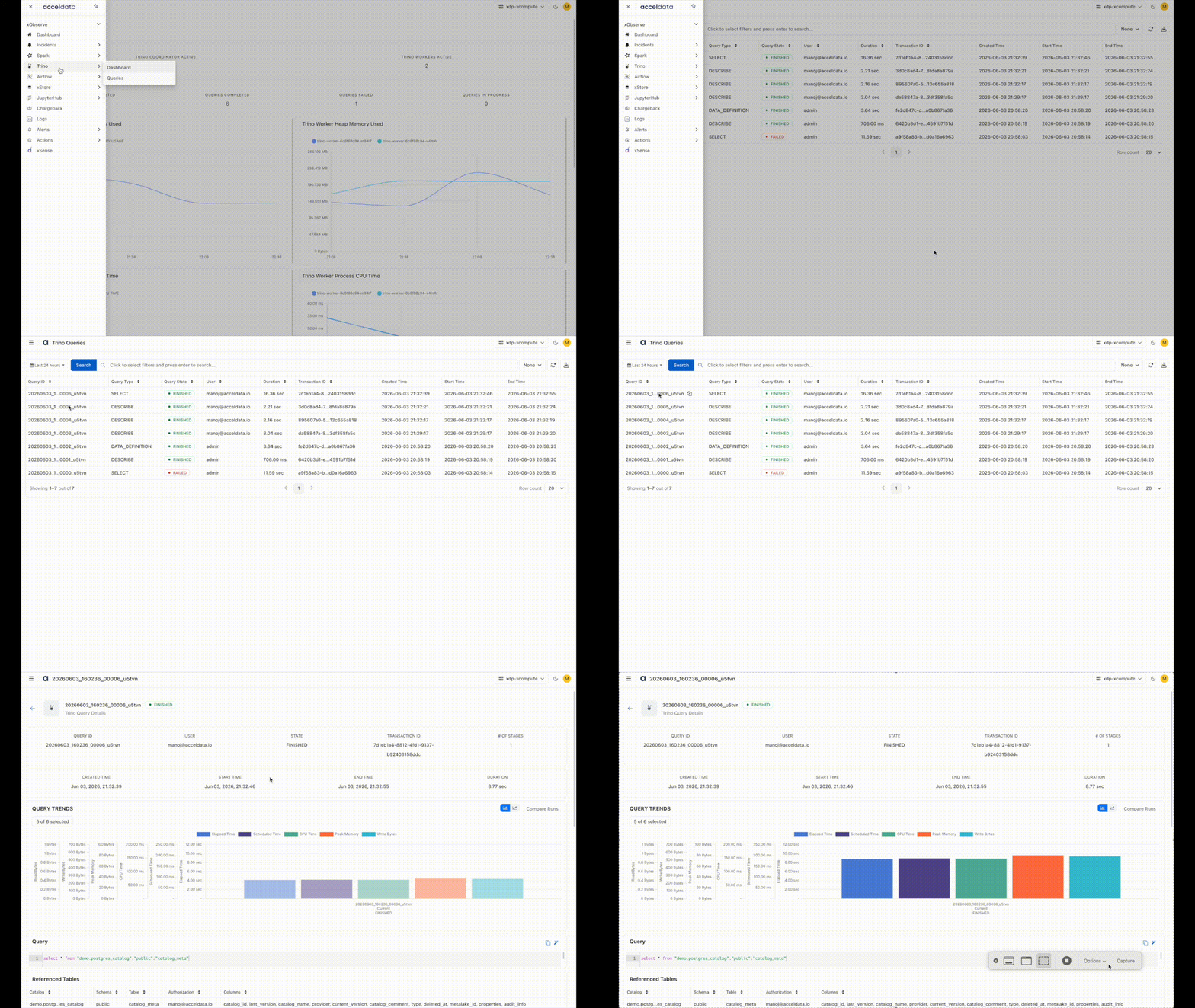
Query Summary
The Query Summary section displays key details about each Trino query.
Identification
Query ID: Unique identifier assigned to each Trino query.
Transaction ID: Displays the associated transaction ID, if the query is part of a transaction.
User: The ClickHouse user account that executed the query.
Execution Details
Query Type: Specifies the type of query (for example, SELECT, INSERT, CREATE, etc.).
Query State: Indicates the current execution status of the query (for example, RUNNING, FAILED, FINISHED).
Timestamps
Duration (ms): The total time taken to complete the query, measured in milliseconds.
Created Time: Timestamp when the query was created.
Start Time: Timestamp when the query started execution.
End Time: Timestamp when the query execution finished (or failed).
Error Handling
Exception Code: Displays an error or exception code if the query fails, helping identify and troubleshoot issues.
Features
The Trino Queries page includes the following capabilities to help you explore and analyze query activity:
Search: Quickly locate queries by ID, user, status, etc., using the search bar.
Group By Options: Group queries by:
Query Type – to analyze usage patterns
User – to track individual workloads
Query State – to monitor success/failure trends
Refresh: Refresh the table.
Export Results: Export query details for offline analysis or reporting.
A maximum of 10,000 records can be exported in a single operation. Exporting all available records at once is not supported.
To export additional records, refine your search criteria and perform multiple export operations.